Meshtastic: from frustration to a lot of fun.
2026-04-27 13:44
After a few days of intense experimentation, I was pretty impressed by the Meshtastic network. However, the beginning of this journey was frustrating, to say the least.
It all started a little over a week ago, on April 25th — the day after the kits arrived. At that point, I had already been reading and watching everything I could find about the topic and decided to begin my tests with MeshCore. That went fine, and after a few hours of getting to know how things work, I decided it was time to get the second radio running on Meshtastic.
Well, that's where things started getting difficult. The screen on the second radio was not turning on, which meant I could not see the random PIN number needed to pair it with my phone. There's a lot of content online about these radios, but after trying every suggestion I found, nothing seemed to work. At this point, I was convinced it was a hardware problem and sending them back was inevitable.
The fact that it would take another week before I could restart this project was really annoying. I don't know why, but most ETAs I see on online stores are around 5 to 7 days, and that was probably what was making me so angry about the situation.
Trying to minimize the chance of the same problem happening again, I started reading reviews and came across someone who solved a screen issue by connecting the device via USB instead of Bluetooth. I didn't know that was possible, but doing so meant not having to use a PIN for pairing.
At the time, I was only aware of the Meshtastic option, but I later discovered that this is possible on both networks. In case you need it, just connect the radio using a USB cable and use the corresponding address below:
- Meshtastic: https://client.meshtastic.org
- MeshCore: https://config.meshcore.io
Everything was already packed to be returned, so back to unpacking I went.
The Solution
As I expected, the USB connection creates a direct link, and there's a web interface where everything can be set. In other words, the screen is just a convenience. I even found a setting to change the Bluetooth PIN from randomly generated to a number of my choice. At that point, I was convinced I would keep the device despite the defective screen, as long as everything else was working fine.
While testing all possible configurations, I probably did something wrong because one radio stopped seeing the other on the network. "No problem, I'll flash it again and resume the tests," I thought. When I did that, the screen came to life! It is still working, over a week later, as I write this.
I lost count, but all told, I probably flashed it three times, hard reset it twice, and soft reset it many, many times. So, if you have a defective screen, maybe keep going until it comes to life.
So Cool!
I decided to spend a few days on one network and then move to the other. With both radios on Meshtastic, I added a larger antenna to the one staying on my balcony and set its role to `CLIENT_BASE`, based on the instructions on this page.
Personal base station: always rebroadcasts packets from or to its favorited nodes. Handles all other packets like CLIENT.
At first, nothing was happening, but after a few hours, nodes started popping up one after another. The next day, I could see nodes in cities as far as 40 km away from me. Mind-blowing, to say the least.
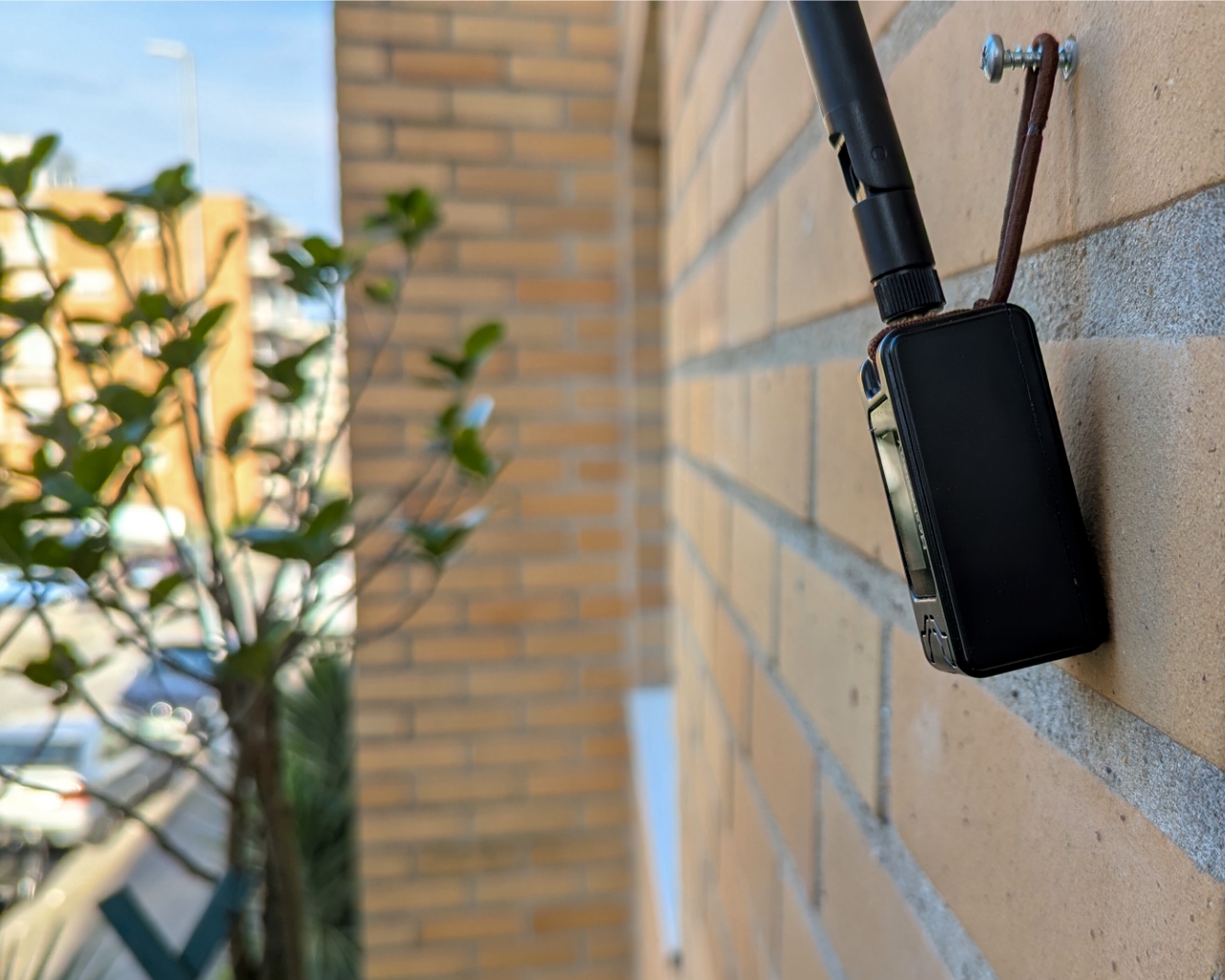
Every time I left home, I sent messages back to the unit there. I had no success until it finally worked in a dog park about 1 km away.
On Monday, I went to my studio located on the other side of the city. Again, most messages were failing to reach home, but when I went downstairs, two attempts got the "Delivered to the Mesh" icon. However, I never got the "Received" checkmark, and later that day, I confirmed the messages never arrived.
I think I understand the problem. My office window faces away from downtown, where I can see most of the nodes on the map. As for my balcony at home, it's angled toward downtown but on the other side of the city.
It's a mesh network, so the messages should be hopping from one point to another even though the two radios are 12 km apart in a straight line. My guess is there are probably some gaps along the way.
Week Two
At the end of week one, I had switched both radios to MeshCore and ordered two more radios — one to stay at home and the other for my studio. This time, I went with much cheaper ones with no screen or battery. I found them in a local store with two-day delivery. Then, a few days ago, there was a split between MeshCore developers, so I decided to stick to Meshtastic for the time being.
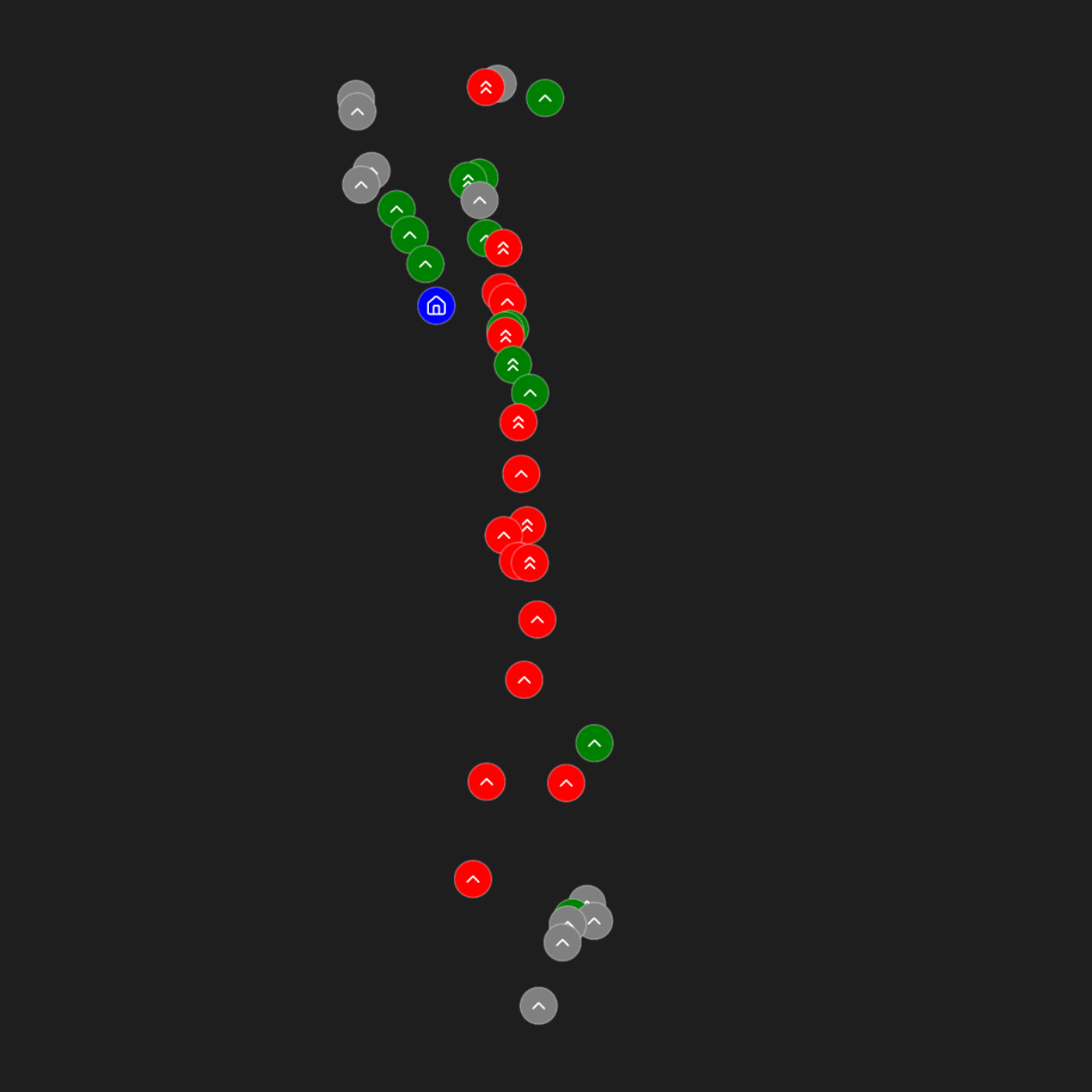
The graph above is an Obsidian Bases map where I'm cataloging all the tests I've been doing near my house. Green means the message reached the home device, Red is for errors when sending, and Grey is for those that reached the mesh but never got to my other device. One arrow represents a small antenna, and two arrows are for the larger one.

The farthest I could message so far was 2.24 km from the top of a hill, using the small antenna. In the map, it's the one you see under many grey dots at the bottom of the image. The other green one next to it was from midway up the hill.
There's a lot that I still want to try, so if this is something that you are interested in, stay tuned. Meanwhile, if you are looking for a fun and cheap hobby, I couldn't recommend this more.