EN
Blog
- All my notes and documents.
- My website.
- Every pin I add to Google Maps, like trip ideas or cool places here in Porto, is also added to Obsidian using the Maps Plugin.
- Like already mentioned, all the materials I use to create my videos are in subfolders inside my Static Containers folder, which I usually access from the computer file system.
- And there’s also more elaborated things, like the Scrivener files of all my books.
Three everyday situations where the Timeline System in Obsidian can help you
What I love about the Timeline System is how simple it is to change the status of an activity by simply moving a note from one place to another.
A friend recently came up with a challenge. He told me he would like to know how I would use the Timeline System to organize and keep track of two everyday situations.
Bring it on, I said.
The first one was about a concert. He would like to know what I would do with the PDF tickets, that were incompatible with his phone wallet. Since this is still in progress, it should be in the Action Container.
I’m pretty sure there are other approaches, but this is how I would do it. In fact, I’ve done it before a few times, and it worked pretty well. I think of events like this as trip activities, even though it is happening in the city where I live. So, the Action Container would have a format similar to the one below.
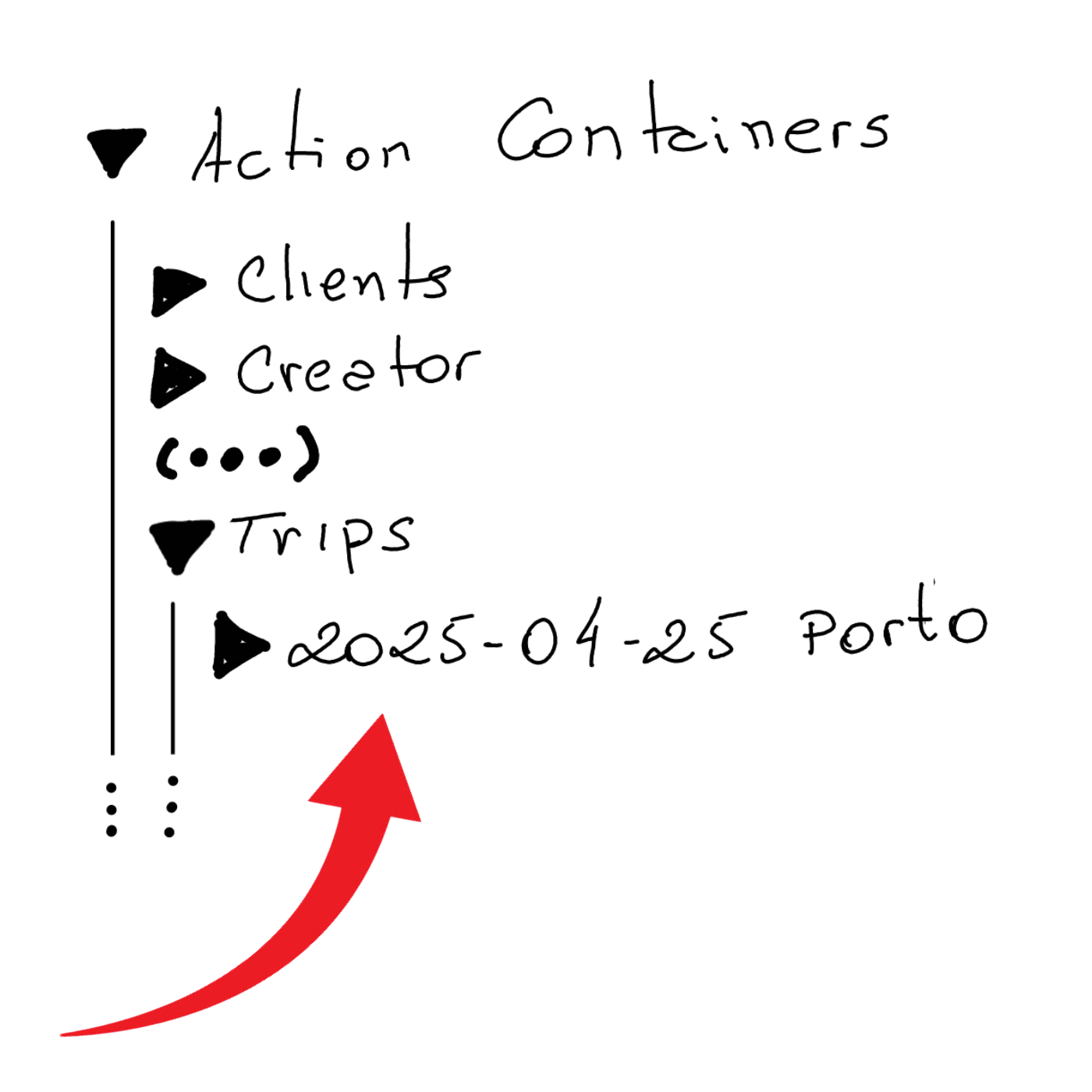
Where the folder ‘2025–04–25 Porto’ is the fake trip storing the concert tickets.
The other situation was an Amazon QR code he needed to show when returning a product. Since this one has no specific date, I’d simply keep it loose inside the Action Containers folder. Without a specific subfolder, it will be easier to find, and it will be an inconvenience working as a natural reminder every time I go to Obsidian to check my activities inside my Action Containers.
It’s a scenario very similar to what I’m currently doing (see video below) with the #Nadsat Glossary that I have to keep around to be able to read A Clockwork Orange.
What I love about the Timeline System is that all the above situations are notes that will eventually be moved to the Timeline container (folder). This will remove them from the list of activities in progress and, at the same time, keep them naturally organized in a place that I can go to retrieve information.
Another step towards repurposing my Obsidian vault
I have been testing the idea below for the past two months, and so far, everything is working wonderfully well.
I had to check the information before writing this post, but it’s been 16 years since I started using password managers. If you are not already using one, please share your secret with me. Given the huge number of passwords we have to deal with these days, they have become indispensable software. However, like many other apps, what was once a one-time fee became a subscription.
I don’t have any problem with paying, especially considering how they make our online presence safer while keeping passwords easy to manage. My issue is with losing control. Compared to a paper notebook kept in a drawer, it’s a much better solution, but our passwords are now sitting on a mysterious server somewhere in the world.
So, after testing the concept of a “digital cave” with many other items, I decided it was time to do the same with my passwords. But to accomplish that, I would need to find an app that keeps all the passwords in a single file, which I could then move to my vault in Obsidian. It would also need to have clients for all the existing platforms. And finally, it would be preferable if it were Open Source.
KeePass checks all the boxes above, and as you can see in the video below, I created the database inside in my Timeline and copied about 20 passwords to test the idea.
I’ve been playing with this configuration for a couple of months and since I’ve encountered no problems, I’m now looking for a way to import the remaining passwords.
If you’d like to try it too, watch the video. And if you know any other software that would also check all the boxes, please let me know.
A Clockwork Orange
I see A Clockwork Orange as part of a group where I also put Do Androids Dream of Electric Sheep, 1984, and others that depict this dystopian future that, for some reason, attracts me.
Even though I’m sure it would not be a good experience at all, for some unknown reason, part of me has a secret desire to experience this alternative reality in person. It’s not just the dystopian future that attracts me. I also love the future from the perspective of the 60s.
Back to the A Clockwork Orange book, if you need a tip to use the Nadsat Glossary, I suggest watching this video to learn how I set it up in Obsidian.
Mountbatten: The Official Biography
I would say the target audience for Mountbatten: The Official Biography is people graduating in history or those, like me, passionate about it.
It’s an impossibly long book, with big pages and a small font, covering so many details of his life. And because it weighs a lot, I wouldn’t always bring it with me on my commute to the office. Long story short, it took me almost one year to finish.

That said, it was an interesting read for a few reasons. Firstly, I learned a lot about Mountbatten and English history, and when I finally arrived at the chapter about India, it was like watching the same movie from a different angle.
I could even remember some passages of Freedom at Midnight when Gandhi met with Mountbatten, and I could picture the scene in my mind as if it were filmed with a 360° camera.
The Digital Caveman project
pt: Projeto Homem das Cavernas Digital
I love the conveniences of the modern world and have no intention of giving them up. However, the price we are paying to host our entire lives on the cloud is too high. And I don’t mean it in monetary terms, although it can certainly become expensive.
Because I was already using Syncthing to synchronize my Obsidian vault between two computers and a smartphone, and at the same time, keeping two automatic backups of everything — in different parts of the city — I had an idea.
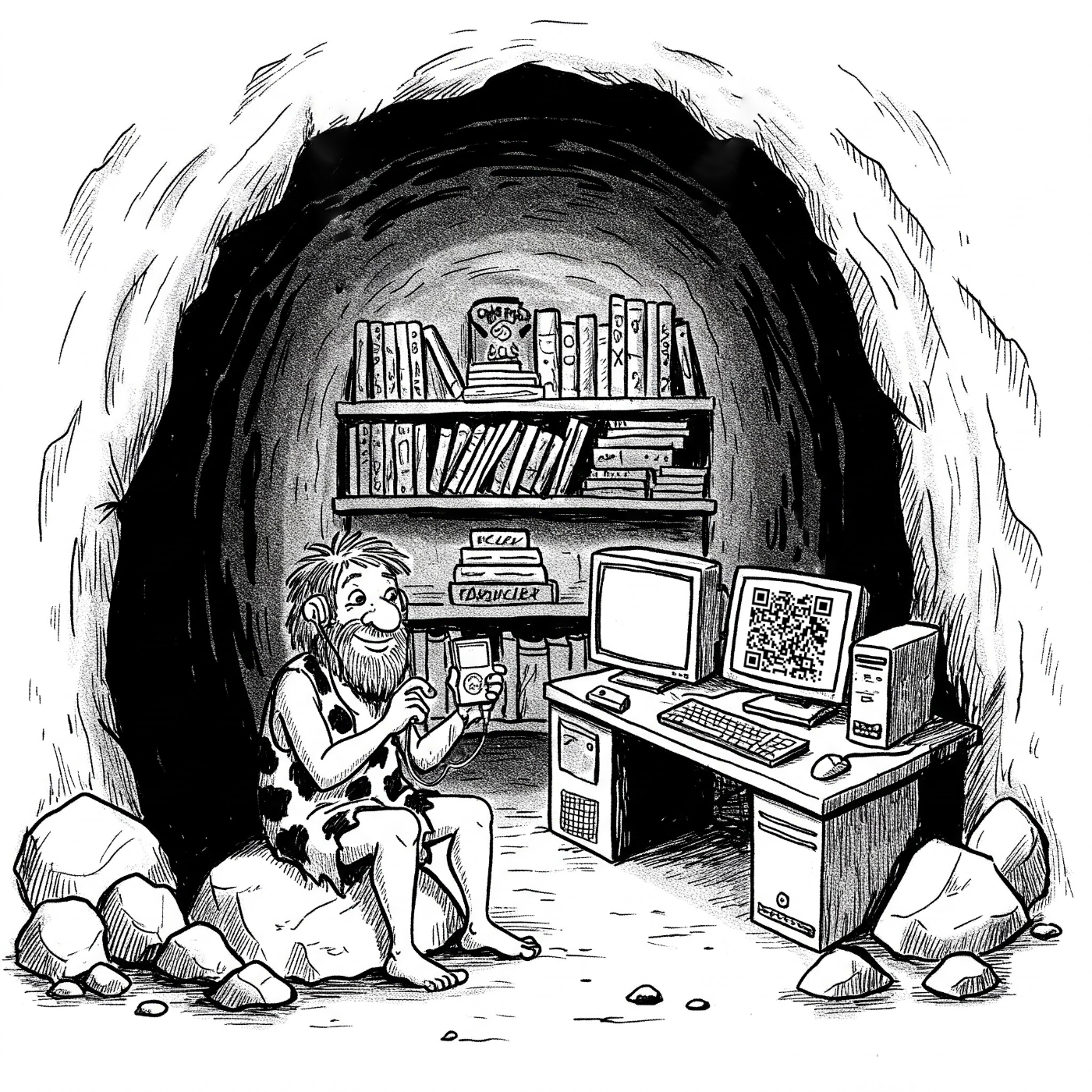
What if I moved all my files to my vault in Obsidian?
I’m already doing that with several resources, like my video production folder, which I’ve been keeping in Obsidian as a Static Container for a long time. The vault is already being synchronized, so everything else I move there will be sent to all my devices. And talking about that, my Timeline System is also playing a big role, as its simple structure is easy to understand and use. Storing and finding information is super intuitive.
I don’t know when exactly the idea of hosting everything myself was born. In hindsight, I’d say that the fact that I still use my old iPod 5 Gen to listen to the music I own, might have played a big role in my plan. Then came Obsidian and the realization that all our files are kept locally and can be 100% managed by us, the users and owners.
Maybe that’s what inspired me to create a local backup of my photos, which are now stored in folders using a basic and simple structure that almost any computer and any regular app can read.
The video above shows the photos being sent to Apple Photos, but I’m not doing that anymore. I now keep them in folders because it’s a way to have them accessible no matter the computer or technology being used. However, there’s another reason. Almost accidentally, I found out that the Apple Photos database was about twice the size of the photos kept in folders.
That not only uses unnecessary storage on your computer but will cost you much more if you are synchronizing and backing up your beloved memories on iCloud. In both cases, Apple is in control and making more money because you are purchasing a Mac with more storage space and subscribing to a larger iCloud plan. I talk more about this in the video below.
Back to my master plan. Here’s what I have already set as local folders in Obsidian:
My photos are half way there. Like I demonstrated in the video below, they are synchronized with both of my computers and backed up locally with everything else.
But the final plan is that one day, when storage in our mobile phones is on par with computers, I will move the photos folder to my Obsidian vault. For now, only pictures I’m using in my journal — which is also in Obsidian — or any other notes are already being moved there.
And there’s more. Currently, I’m experimenting with the idea of keeping my passwords’ database in the Timeline folder in Obsidian. I chose KeePass after searching for a solution that would give me control of the database. I’m not sure if I’ll stick to it, but as a proof of concept, it’s working much better than I was expecting (there’s a video about it coming up soon).
Again, because the vault is already being synchronized and the database with the passwords is there, I’m able to log in to it from any computer or mobile device, by linking it to the corresponding KeePass app. Moreover, because of my backup scheme, I’ll always have a backup of the passwords on two different hard disks that are in two distinct buildings.
The Digital Caveman
This is certainly not for everyone, but my plan is to move every single digital file to my “cloud” system, which is not even a cloud. It’s just information being synchronized and backed up on multiple computers that are in different places. I call it the Digital Caveman project because it has this “handmade” feel to it and because everything is kept in “my cave”.
I would have bought even more books in Oxford.
I remember seeing people reading and studding in pubs in the movies, but I always doubted it was a real thing.
Our first site as first-time visitors to Oxford was Blackwell’s Bookshop. My wife and I are passionate about books, and that was a fascinating experience, but I was not expecting to see myself immediately entering another bookshop in the same street. Keep in mind that it happened minutes after spending almost the entire morning trying to control myself not to buy all the incredible books in that maze of shelves.
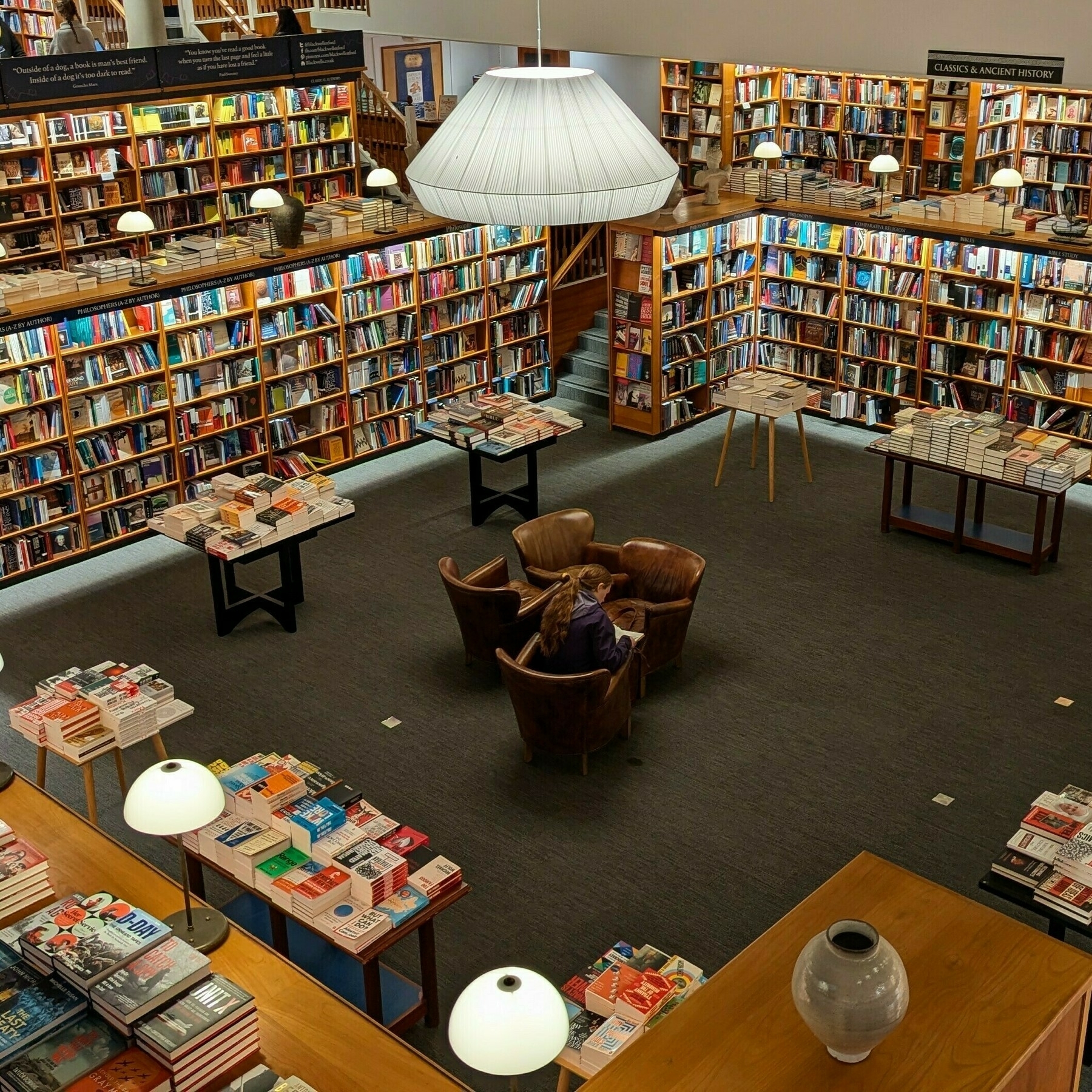
The first book I bought that day was ‘The Rule of Law: A Very Short Introduction’, but I would have purchased many others if I weren’t restricted by the size of the cabin baggage I was allowed to bring onboard the plane on my trip back to Porto.
And the bookstores were not the only ones tempting me. During one of our random walks, we came across a secondhand shop selling all sorts of intriguing old items and, of course, books.
It has to be small—I told myself.
‘The observer’s book of manned spaceflight’ from 1975 is indeed very compact, but there’s so much detail in it. It made me think a lot about how hard it was to write a book like this in the past. For starters, think about all the fact-checking.
In hindsight, choosing this book might have not been only a question of size. There must have been a big role played by my subconscious as well. The store had all these signs inviting people to follow them on Twitter, and I couldn’t resist and had to talk to them about decentralized social media, in particular Bluesky and Mastodon, when paying for the book.
The current state of that other social network and that person, whom I’d rather not mention the name, are making me even stop watching some great creators covering SpaceX. Yes, I’m probably not mature enough to separate things. Or, maybe, I’m just a simple human being with a strong sense of ethics. Anyway, back to the city and its countless bookshops.
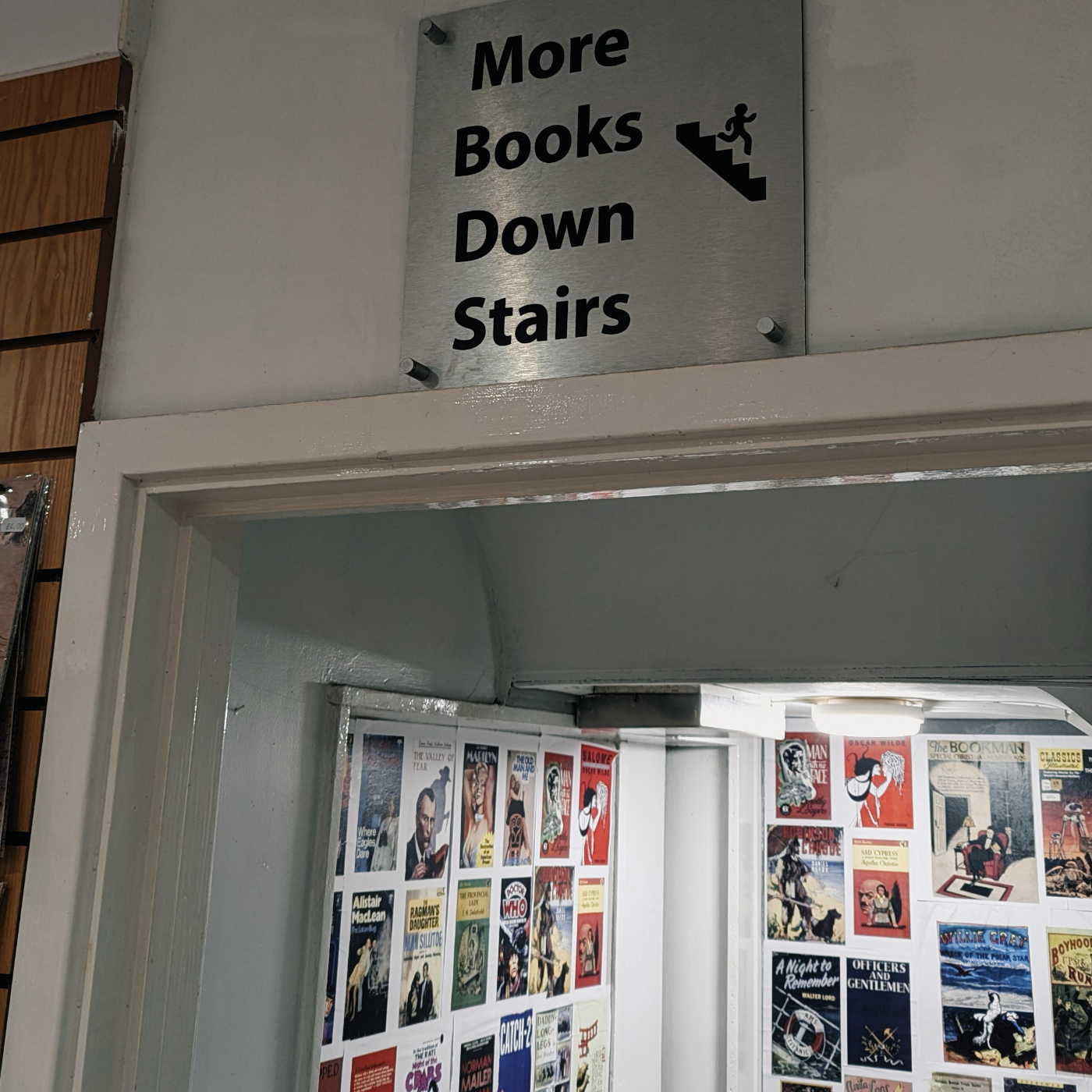
This time it was a store practically bagging us to go inside. There were so many books outside, just like fruits and vegetables found in boxes on the sidewalk in small European grocery stores. And there it was for less than £3. ‘Do Androids Dream of Electric Sheep’ has been on my TBR list for a long time, and I had to get it.
How many bookstores are there in this city?
Then there’s all these people studying everywhere. And they are not pretending; one can clearly see they are really trying to master something complicated. The funniest day, however, was when we went to this restaurant for lunch, and there it was, the funniest sigh ever.
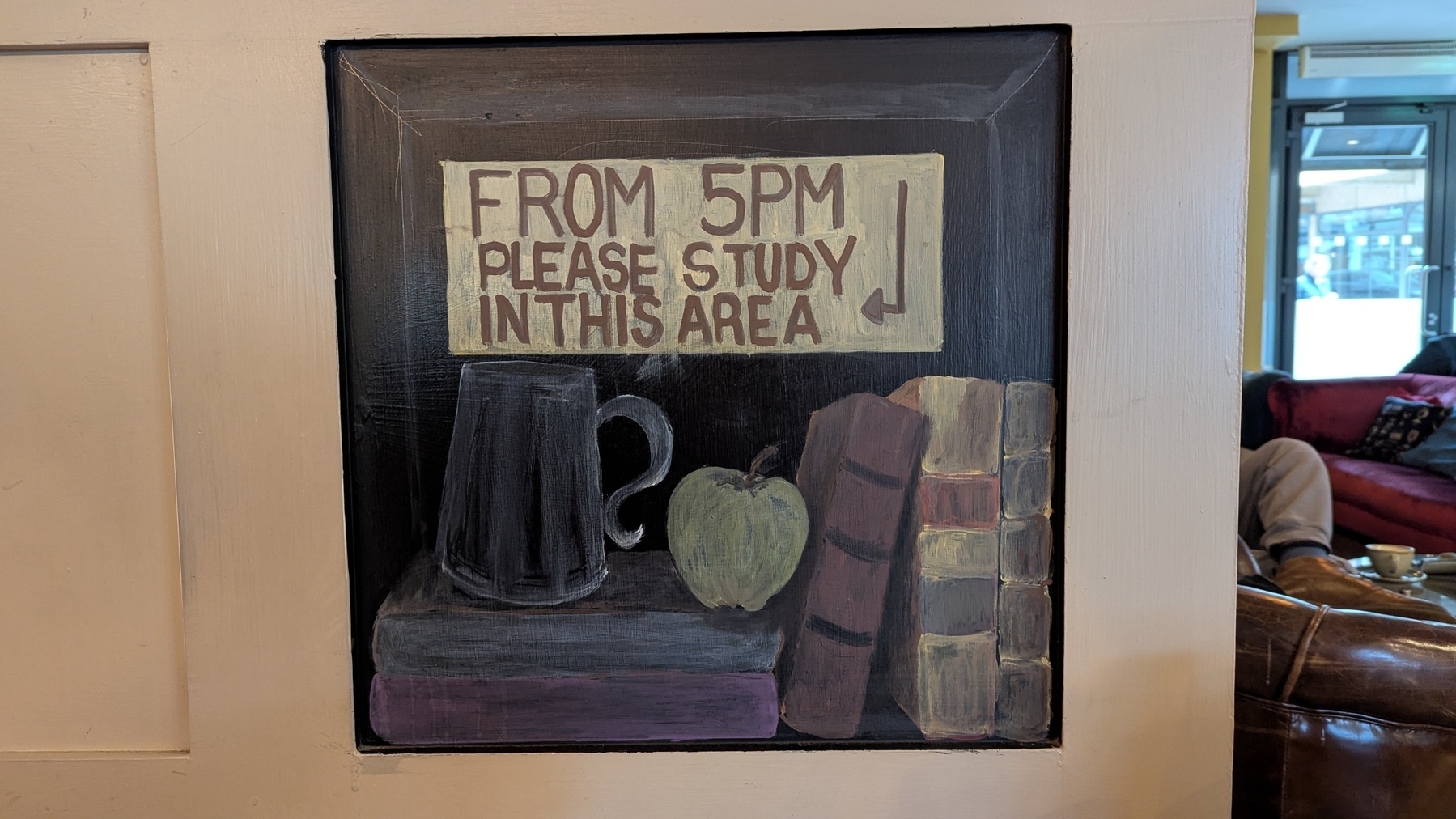
In the same place, a girl at the table behind ours literally told her friend that she was staying for just one more hour, and then she would go to a pub and study there. I remember seeing people reading and studying in pubs in movies set in Oxford, but I honestly did not believe that was a real thing. Not only is it true, but it’s extremely prevalent and widespread.
However, books were not the only items I had a hard time packing. As you know, I still use an old iPod, and a few years ago I started a trend. Buying random used CDs at secondhand shops when traveling to different countries. Then, at home, ripping them and adding the songs to my iPod. Of course, I had to grab a couple on this trip as well. So far, only good surprises.
I had to turn down so many interesting titles like ‘Why We Remember: Unlocking Memory’s Power to Hold on to What Matters’ just because I didn’t have enough space. Yes, I’ll probably end up buying them online, but it’s not the same thing.
If you enjoy reading, you know what I’m talking about, and you should probably organize a trip to Oxford with time to spare in coffee shops and pubs. To read, of course. But remember to leave space in your bag for all the incredible books you’ll be almost forced to buy.
Do Androids Dream of Electric Sheep?
Blade Runner is one of my favorite movies of all time, and, for that reason, the book Do Androids Dream of Electric Sheep? has been in my TBR pile for a very long time. It finally happened during a trip to Oxford, where I probably spent too much money on books. No, I take it back. As long as you read them, there is no such thing as spending too much money on books.
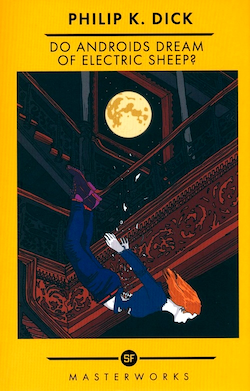
Anyway, it is a quick read that I completed by the end of the trip, yet it proved to be highly enjoyable. The essence of what I watched many years ago was there, but it felt like traveling to a parallel universe where there was another version of the movie.
And that brought up many thoughts about another passion of mine, moviemaking. While I was reading, I kept thinking about the director’s process of deciding to change this or that aspect of the movie.
The Most Important Journey
A few days ago, I finally got to the part of this book I wanted to read about: India’s independence. I first learned of Mountbatten many years ago, when I was preparing myself for a trip to India and reading everything I could about the subcontinent.
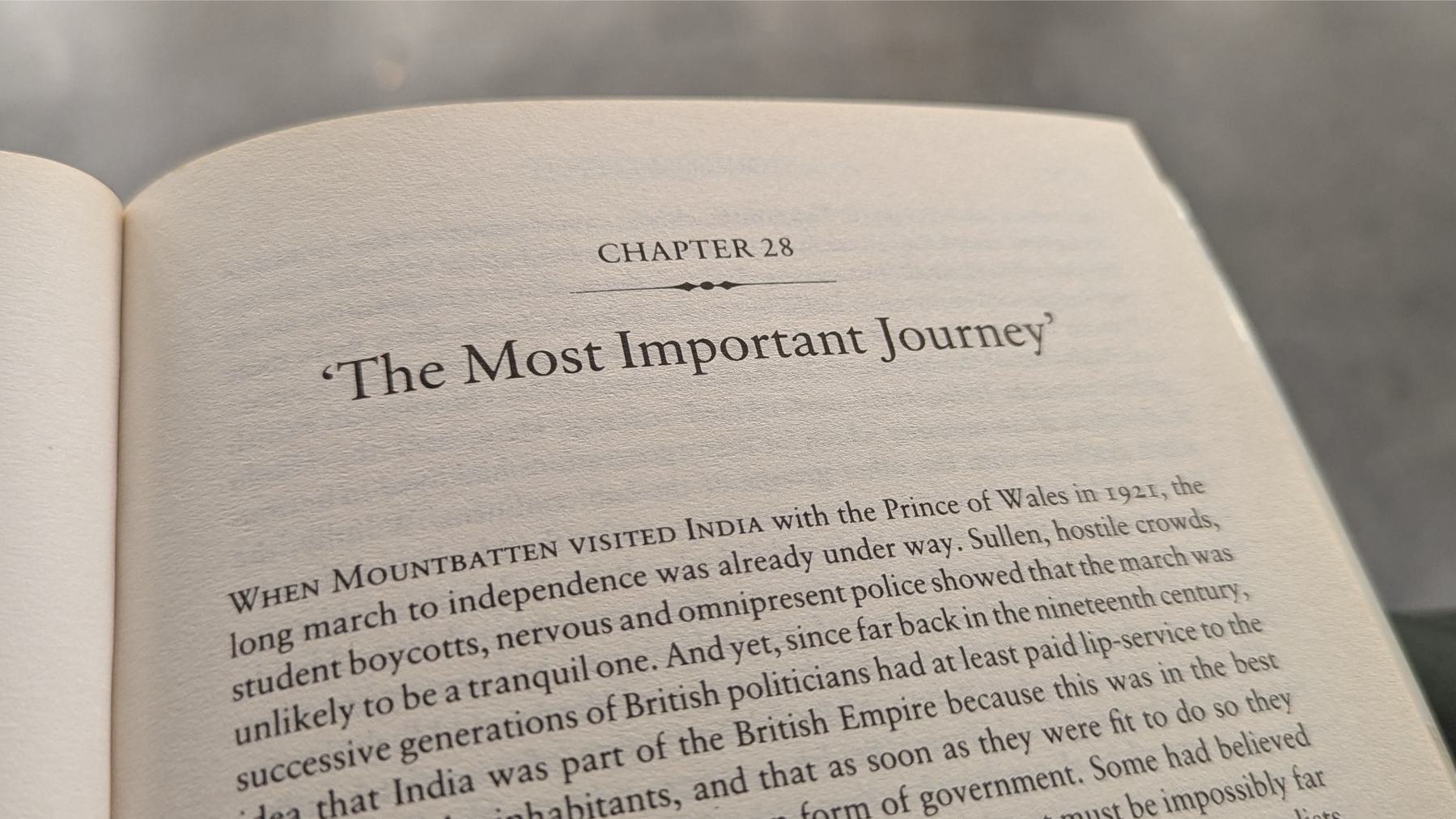
I eventually came across Freedom at Midnight, which is a brilliant book centering on Gandhi’s biography and perspective. Mountbatten’s biography, which is the one I’m reading now, is, of course, based on his perspective. And this is what makes reading both books so unique.
This is a history with other important players, and I hope to learn more about their perspective in the future. For now, I am simply fascinated by what I’m learning from this book, enjoying each new page more than the previous one. To be honest, this moment is what kept me reading it. Even though it is a well-written book, it is also massive, and each chapter has so much detail.
In any case, although it was an almost boring read so far, looking back, I now find it invaluable to have learned more about Mountbatten’s personal life and professional trajectory before his role in India’s independence. But his participation in the country’s history was definitely what I was looking forward to since the day I started reading this book.
I have always been fascinated by history, which ultimately led me to pursue a postgraduate degree in international affairs. But what you may not know is that after that I began a master’s degree program in history. Unfortunately, life had other plans for me, and I never finished it.
I’m a huge fan of history because the paths we took as a society in the past explain a lot about the world we live in today. Which also makes me sad because it seems like as a society we often take too long to learn. It appears to be so difficult for our species. We frequently start over again after moving forward.
Anyway, I feel that after this book, it is time to take a break and invest more time into another passion of mine, cognitive psychology. I don’t know if that will make me less sad about humanity, though.
The vision I have for my Obsidian Vault needs a carefully planned explanation
I am delighted to see that the pieces of my Obsidian setup are starting to come together in this organic way. It seems like as I make small changes here and there, my progress gets stronger. In other words, the more I move forward, the less friction there is.
I’m doing my best to document this journey on YouTube and on my site, but the more it evolves, the more this idea that it needs a carefully planned explanation grows on me. I’m still halfway through writing my current book, but I’m already feeling the desire to write another one about how I’m materializing this vision I have for my Obsidian Vault.
And, speaking of the current book, it is taking its toll on me because I chose to write in English. I don’t regret my decision, but it is exhausting to think and formulate ideas in a foreign language.
Similar to my progress with Obsidian, my writing is getting more and more steam as I move forward, but that doesn’t change the fact that it is taking me much longer than usual to finish it. If I were writing it in Portuguese, it would likely already be published.
Well, I will get there eventually.
Have a lovely week, Vlad.
Obsidian as a writing hub
Scrivener and LanguageTool are remarkable tools that I use all the time, but they don’t have an Android App. Luckily, Obsidian works as an elegant bridge that has clients for multiple platforms.
Please allow me to begin by explaining the situation. I’m a Mac user who switched from the iPhone to Android many years ago and have no intention or desire to go back.
That said, I sometimes come across great writing tools like Scrivener and LanguageTool that don’t have an Android App. Thankfully, Obsidian is an important part of my writing kit and has clients for multiple platform. This is the story of how I use it as my writing hub.
Scrivener is where I’ve been writing my books since 2012. I don’t know how others create, but in my case, I usually start by writing down ideas as they come to mind. When there’s enough content and a lot of mess, it’s time to organize the text, and that’s probably my favorite thing about Scrivener. Coping and pasting is harmless, since the draft file has no formatted text, and it is also extremely easy to rearrange chapters by simply dragging them around.
Another crucial aspect of writing is grammar. For a non-native speaker like myself, a little help with synonyms and sentence construction is very welcome. That’s where LanguageTool shines. It feels as if I have an English teacher constantly suggesting changes to improve the text.
Don’t ask me why, but Scrivener never added support to LanguageTool, despite the existence of an API. So, even when using my Mac to write, I can’t benefit from both of them working together. And when I’m away from my computer, things become even harder because none of them have an Android App. That even affects the Supernote, as it is also an Android under the hood.
Thankfully, there is a way to connect all of these seemingly incompatible pieces. Several months ago, I shared a workaround for using Scrivener’s sync feature to have access to your book’s draft as Markdown files in Obsidian. You can learn ho to do it, by watching the video below.
Yesterday, you learned about another part of the puzzle. There is a LanguageTool plugin for Obsidian that uses the same API Scrivener could be using to make writers' lives more comfortable.
By combining both methods — synchronizing the book with Obsidian and using the LanguageTool plugin — we can create the perfect solution to use the spell checker when writing on a Mac or using an Android phone. Which also includes the Supernote. Isn’t that cool?
However, that is not all the writing I do in Obsidian. This article, for example, started as an idea in my Creator Action Container. The note was born there when I was riding the subway and wanted to write some ideas and drafts of a few paragraphs.
I kept working on it the next day, but this time I used Obsidian on my computer. In both cases, LanguageTool was there helping me. When it was finished, I moved it from the Action Container to the website folder to then make it available online, where you are reading it now.
If you’d like to learn more about all of these interconnected folders, please watch the video below.
My new site took a selfie
These represent all the page connections through links or tags within my new website thus far.
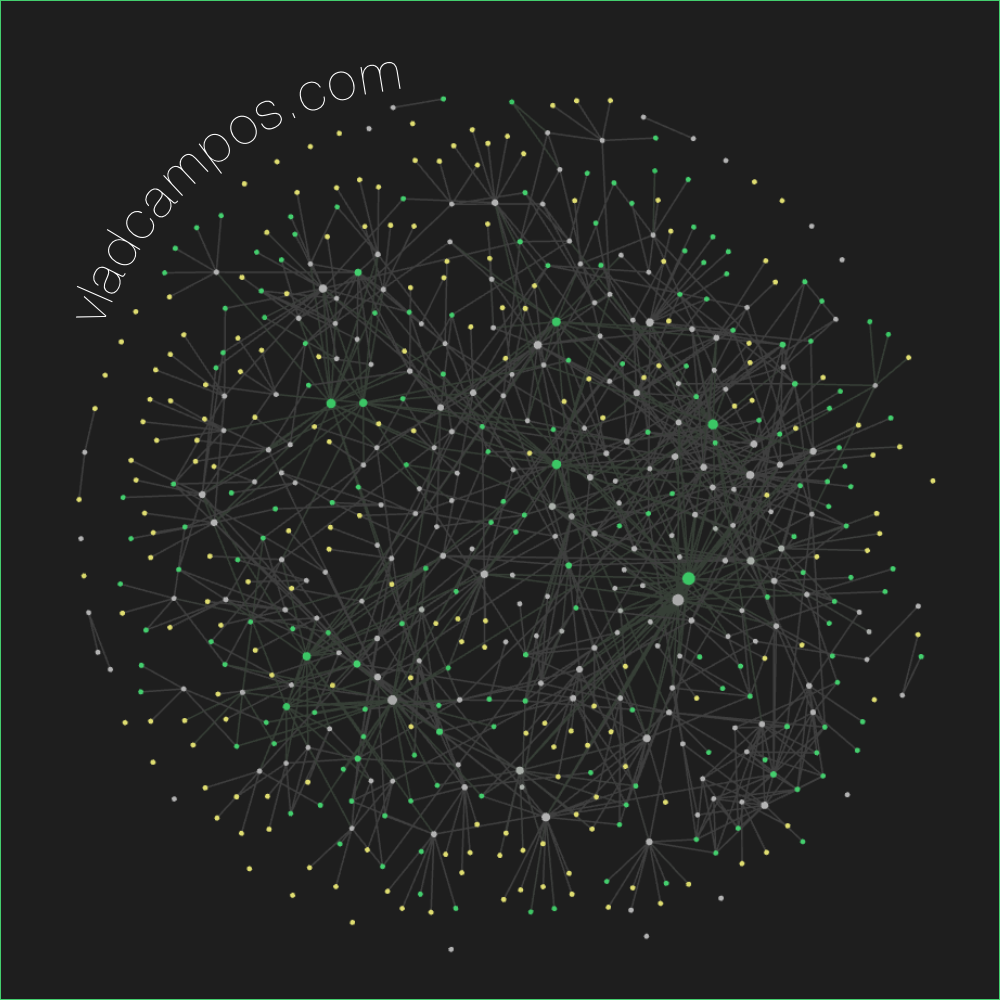 Create using Obsidian Graph View
I have something new and exciting to show you!
Well, I’m not sure if you’ll find it exciting, but I’m thrilled about it.
Over the past few weeks, I have invested a lot of time into revamping my website so that I can share with you all my Blog posts and Knowledge Base in one place. Perhaps we can call it a Knowledge Base Blog. Hum, it looks like KBB would be a good acronym. Anyway, here’s what I’ve done so far.
Oh, by the way, you may be asking yourself why I’m also using Substack to share this post. This may or may not be temporary; however, due to the migration of my website to a different platform, I have lost the newsletter feature that I previously had. Anyway, back to my KBB.
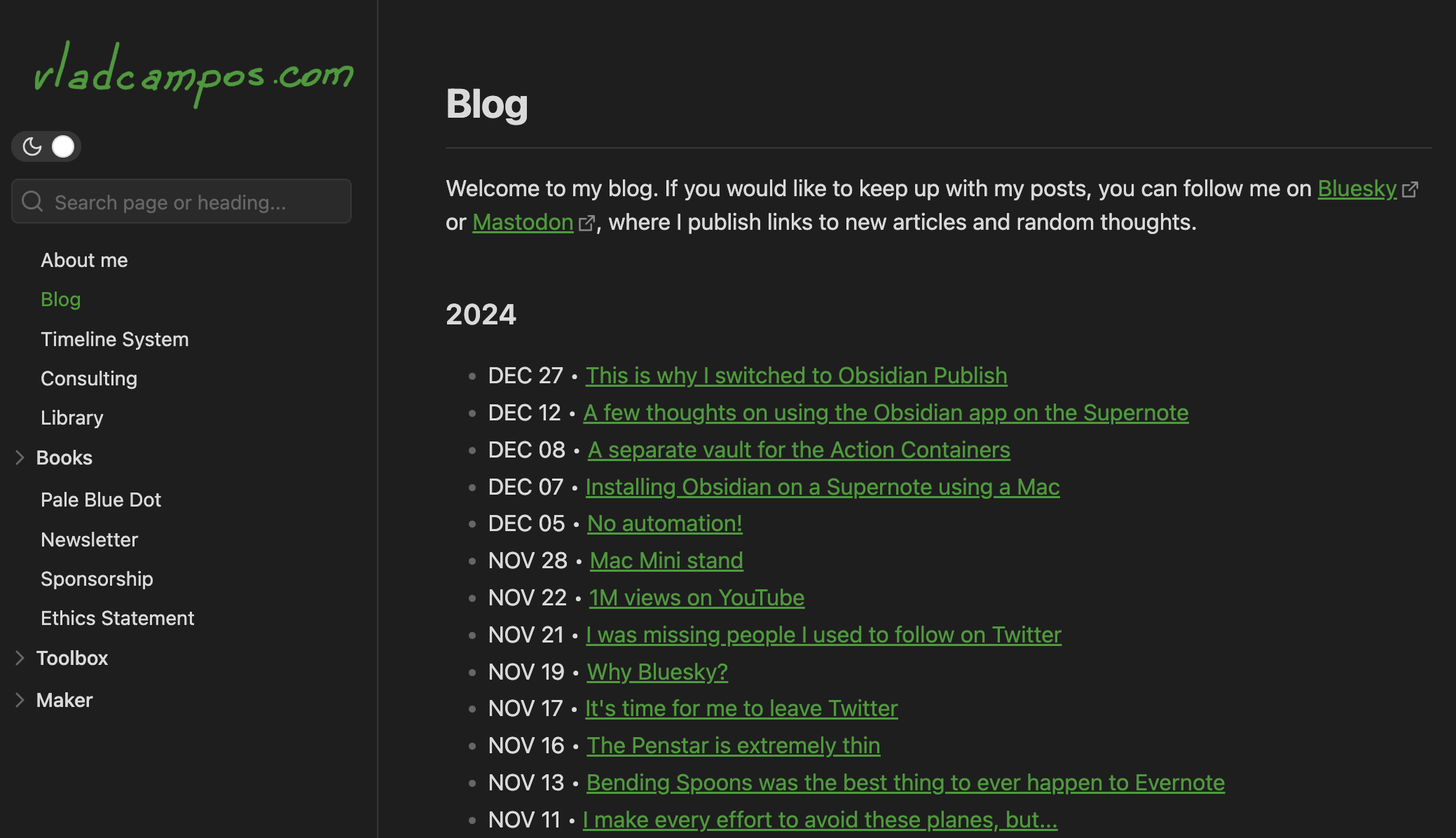
Let’s start with the left-side menu. Except for Books, the first group of items—from About me to Ethics Statement—are the same topics (pages) I already had on the other site.
Toolbox and Maker are where I’m exploring ways to share my Knowledge Base with you. As you can see in the image below, there are many topics, and each one of them contains explanations, how-tos, and other types of resources and information to help you learn more about those areas of interest.
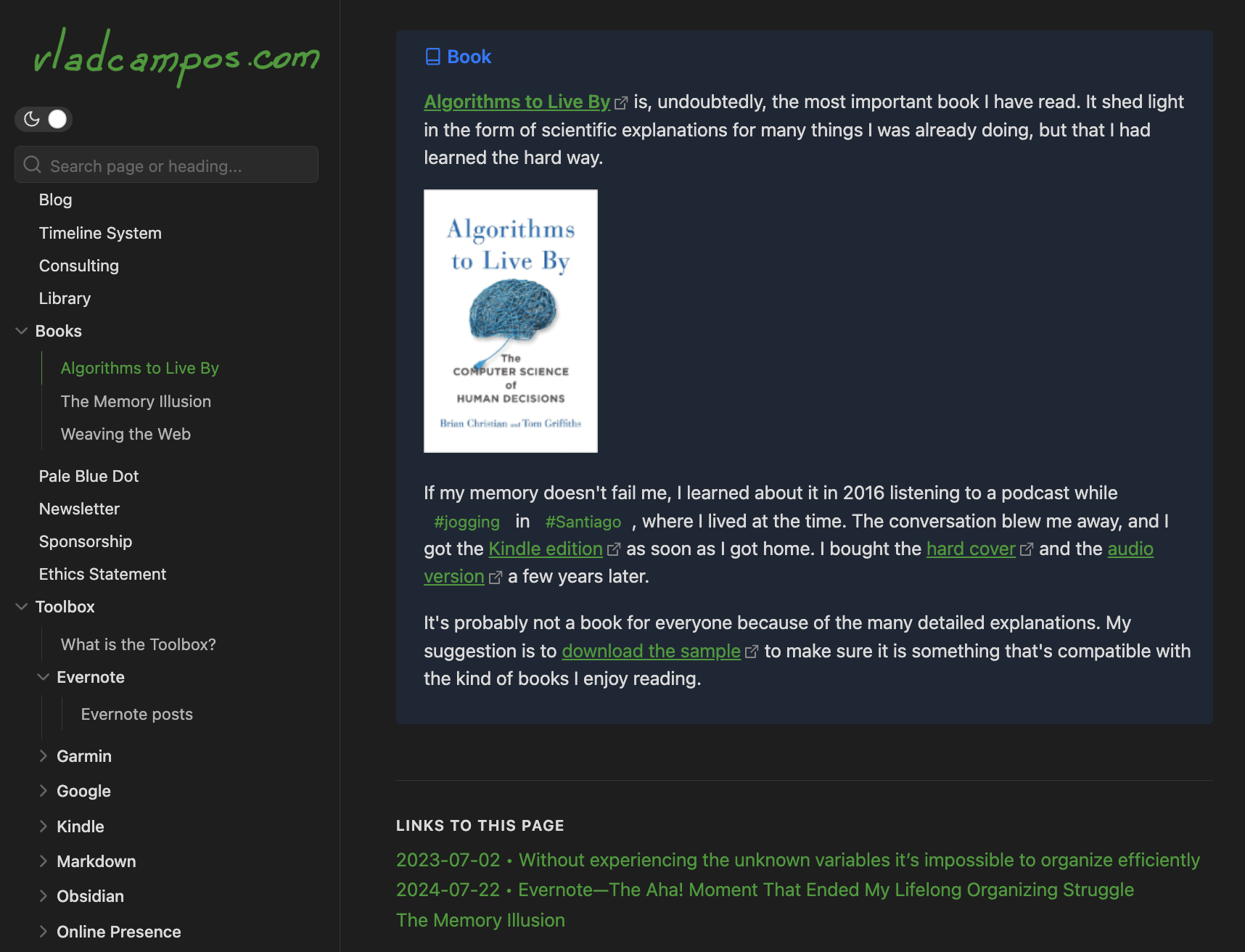
However, the cool part, at least for me, is how I’m connecting all that with the blog posts. Think of all the information as widgets I can add to any post. As a matter of fact, embedding them is part of what I’ve been doing for the last few weeks.
Let’s look at the Books section. For now, there are only three books there, but the idea is to keep adding them. The book Algorithms to Live By, for example, is a page with some of my thoughts about it. Anyone who wants to know what I think about the book can go to that page. But there’s another path to that same information. In fact, many paths.
You may be reading a post, like this one, with that same information embedded. In other words, every time I mention that book in a post, I can include that “widget”. And this is just the tip of the iceberg. There are several integrations like this all over the new website.
But there’s more. If you take a look at the bottom of the book’s page, you’ll see the Links to this page list. That’s an automatic compilation of all the pages mentioning that book. And if we go back to the Toolbox, each topic also has (will have) a page like that. For example, vladcampos.com/evernote, vladcampos.com/supernote, and vladcampos.com/voicenotes are automatic compilations of posts about those topics.
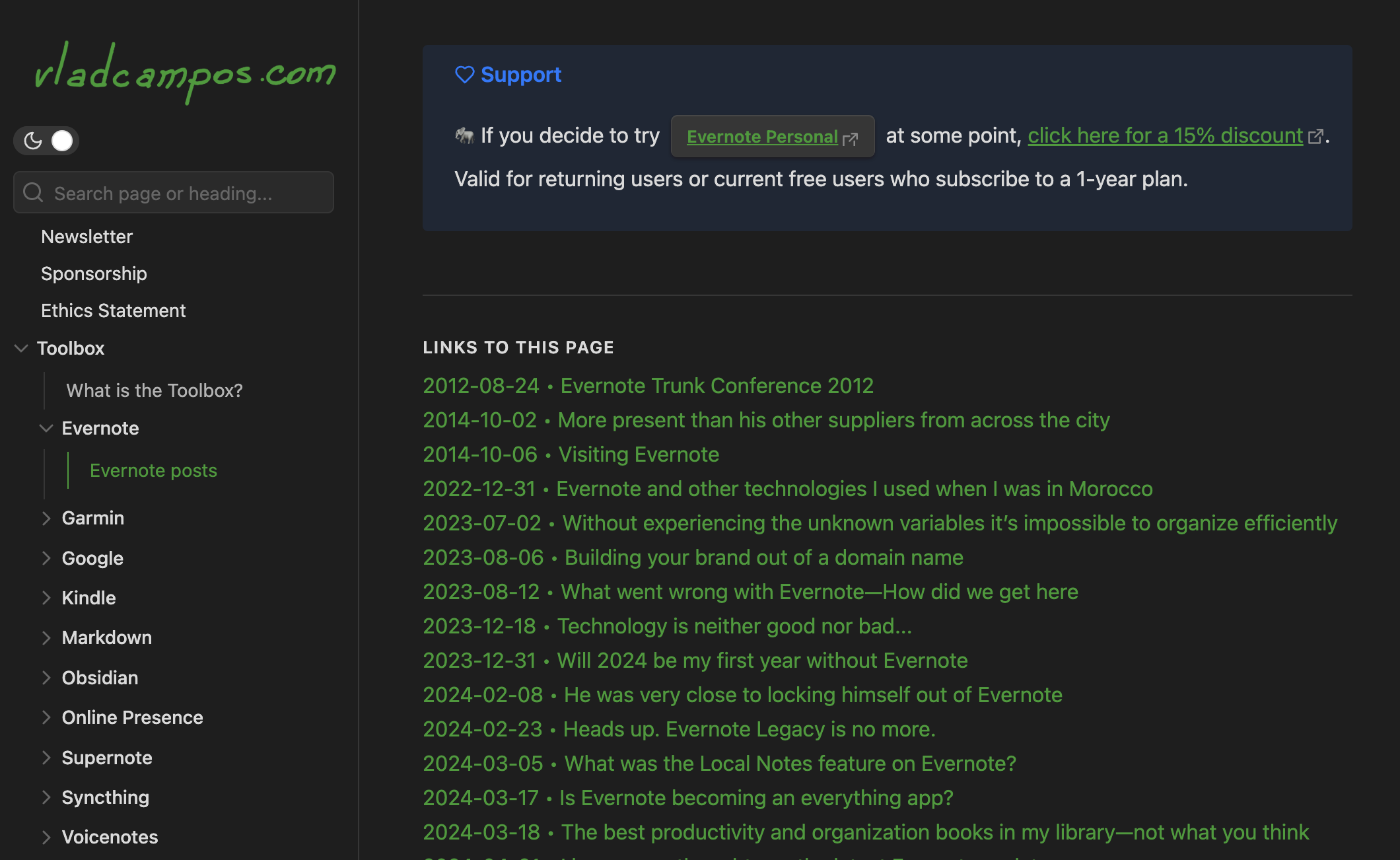
Don’t leave yet. There’s more. In many pages on the website, you’ll find words that start with hashtags. Those are tags, and clicking on them will open a list of other pages with that tag.
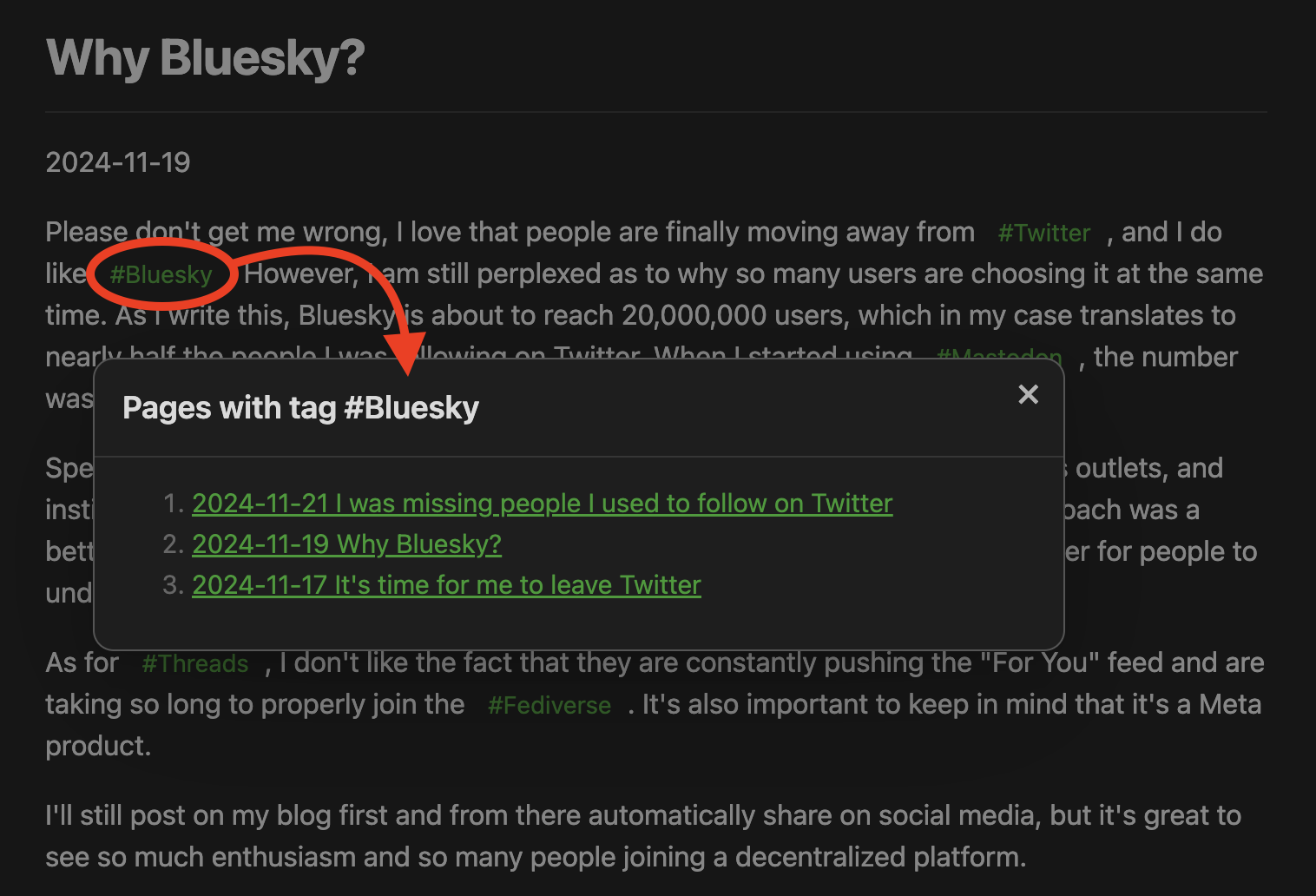
I am still working on many things, and the structure may change in the coming days or weeks, but the main goal is to keep connecting new content to this web of knowledge.
Back to Substack…
As you can imagine, this intricate structure is only possible on my website, and that’s why I have no idea how to “translate” it to a newsletter. But that is a problem I am leaving to my future self to deal with. For now, I invite you to explore my KBB.
I wish you a wonderful 2025 🎉
I still have a lot of work to do, but this first version represents the initial stages of my vision for a website that is both a learning center and a blog.
Obsidian Publish is far from perfect, and many of the issues I’ve complained about in the past, are still present. However, things changed on my side. I have gained experience, acquired new technical skills, and developed a deeper understanding of topics related to online presence.
Maybe all that helped me understand what my vision was. That’s probably why I now see Obsidian Publish as an appealing option.
My Supernote Manta is scheduled to arrive at my office today. 🤞 If it arrives during the morning, I may be able to share an unboxing video with you this evening.
How to set the number of synchronizations per day on Syncthing-Fork
On 2025-05-23 What is Syncthing-Fork there’s an option to reduce the number of synchronizations per day.
Go to Settings, then Run Conditions, and scroll down, you’ll find the Run according to time schedule option.
A few thoughts on using the Obsidian app on the Supernote.
After a few days with the new Obsidian vault I set up for the Supernote, it’s time to discuss some other little tweaks I made and issues I experienced.
I still haven’t found a solution for the context menus that pop up when I hover the pen over clickable items. In the video below, you can see it happening on Obsidian, but it’s also affecting Syncthing.
At first, I thought it was linked to sideloaded apps, but it’s not happening to all the apps I installed, and I can see it happening when I’m using Obsidian on my computer. In other words, it appears to be a normal behavior found in certain apps, and I’ll have to investigate further to resolve this issue.
Battery
The battery is also draining faster than usual. It’s not something crazy fast, but it was bothering me, so I decided to try a different configuration. Syncthing-Fork has a setting to change the the number of synchronizations per day.
I hope it will improve the battery situation. The drawback is that I’ll have to pay more attention to the synchronization status, but I am fine with that.
Supernote Cloud & Tasks
Since we’re talking about sync, I went back to the Supernote cloud. In my opinion, it’s a better option, since I can see and manipulate files seamlessly on the phone and computer companion apps, where, by the way, I can also manage tasks.
I love how the Tasks app works seamlessly with notes, but there’s one thing that’s still driving me crazy. As you already know, I see Inboxes as a huge waste of time, so when a system has a folder like that the user cannot remove, I just ignore it. However, the Supernote forces me to use it.
On the Mac or Android companion apps, I can open a specific list and create takes there, but that’s still not possible to do that when creating tasks on notes.
Syncthing
Back to the sync topic, the one thing the Supernote cloud was not as efficient as Google Drive, was giving me quick access to my sketches exported to JPG or PNG. But, as I show in the video below, I’m now doing this using Syncthing.
I am still working on improving my workflow to efficiently combine what the Supernote and Obsidian do best, but I am already thrilled with what I have accomplished so far.
There’s a new Supernote in town 👏. I will be sharing my thoughts about the new A5X2 Manta soon, as there is one coming my way as I post this. For now, check the link below for more information about it.
I love having a blog, but building a useful structure of information is very difficult. I’m constantly fighting with it because it is a terrible tool for publishing knowledge in a way that can actually help someone learn from what I’m sharing. Obsidian Publish is a great for that, but it’s a terrible option for hosting a blog.
The solution might be to have both, which would cost twice as much and make me spend a lot of time creating a learning system that nobody will use.
Spending money on a fun distraction that doesn’t pay off is the story of my life.
After installing Obsidian on my Supernote I can clearly see that the battery it is draining faster. It’s not substantial, like going down in a few hours or days, but it’s definitely draining a little faster. It could also be because I’ve been trying and testing so many new things lately.
There are some settings that I can change on Syncthing to improve the situation, but before I go that route, I’ll give it a few weeks under normal use conditions to see how it performs.
Stay tuned. I will keep you updated.