EN
Blog
- Meeting note-taker with timestamps, speakers, and insights.
- Share notes with other accounts for work and personal use.
- Intelligent insights based on past notes.
- Desktop app & Chrome extension.
Don’t laugh at me, but I didn’t realize I could go to an open-source project at GitHub and add suggestions or ask for new features. I assumed that only developers could do this, and as a user, I was limited to reporting bugs. Thank you, Ivo, for explaining it to me.
Because of my YouTube channel, I’m constantly trying new software, plugins, etc., and almost always have ideas to share. This new superpower, which I didn’t know I had, changes everything. I’m so happy.
At times, the smallest of things can bring us the greatest joy. The Obsidian Web Clipper is great, but the fact that we can set it to always show highlighted text when we return to a webpage is such a nice touch. I 💜 it!
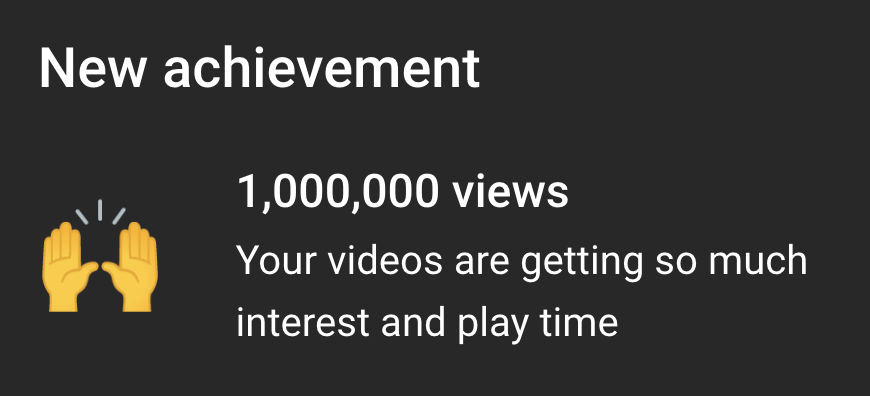
1M views on YouTube
Today, I woke up to a milestone message sent by YouTube. It took me a while to do what big channels do in a day or a single video, but it means a lot to me. You guys are absolutely outstanding. Thank you for being there and helping me grow my channel.
Many years ago, long before the current Twitter drama, the company introduced an algorithmic feed. We were told that it was optional, but in reality, the app kept pushing us out of the chronological timeline. I remember hating that decision and implementation so much, and in hindsight, that was probably when my love for Twitter started fading away.
Threads’s approach is an even worse version of what Twitter started back then. That’s why I never liked it. Mastodon was my choice, as it had a chronological feed, but also because of the many cool things the ActivityPub protocol can enable.
Then came Bluesky. Why they didn’t choose to collaborate on the ActivityPub protocol instead of creating yet another one is beyond my comprehension. The good news is that the ATProto is also decentralized, at least as far as I can technically understand. But there’s more.
For some reason that I also don’t comprehend, people, institutions, and companies are recently choosing it as their new home. I know what triggered the move, but I’m not sure why Bluesky was the choice of so many people at the same time. Anyway, as I previously mentioned, that means that nearly half the users I was following on Twitter are now on Bluesky.
All the above means that I’m back to a feed that I absolutely enjoy. As you know, I’m a Timeline person. But I’m not only following posts happening in real time (a.k.a. in the correct order); I’m now interacting with others in a way I was missing without knowing.
By the way, I just created a Started Pack of some of the hardware and software I have in my Toolbox that have already joined Bluesky. If you don’t know what a Starter Pack is, please watch the video below.
There are a lot of configuration options in the new Obsidian Web Clipper
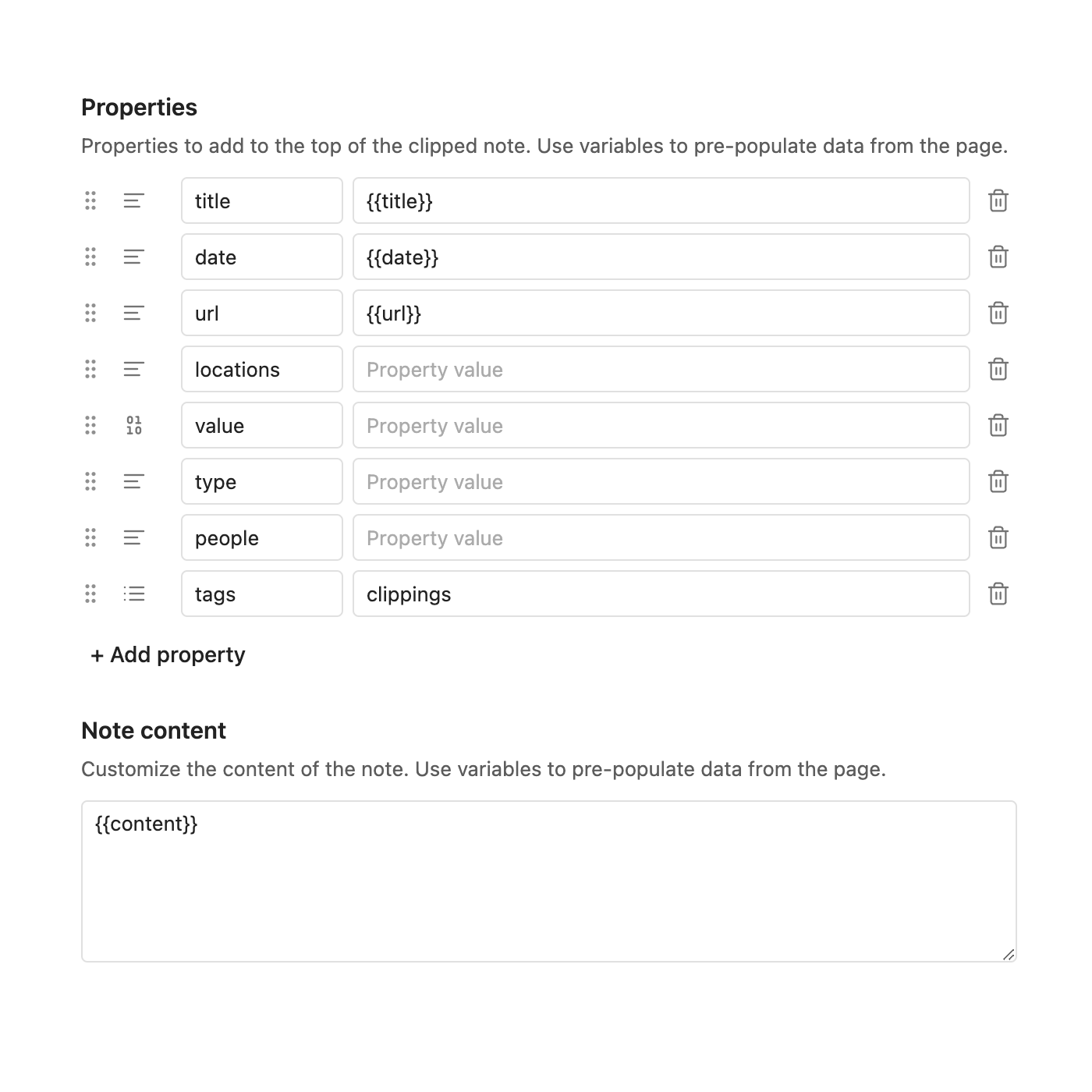
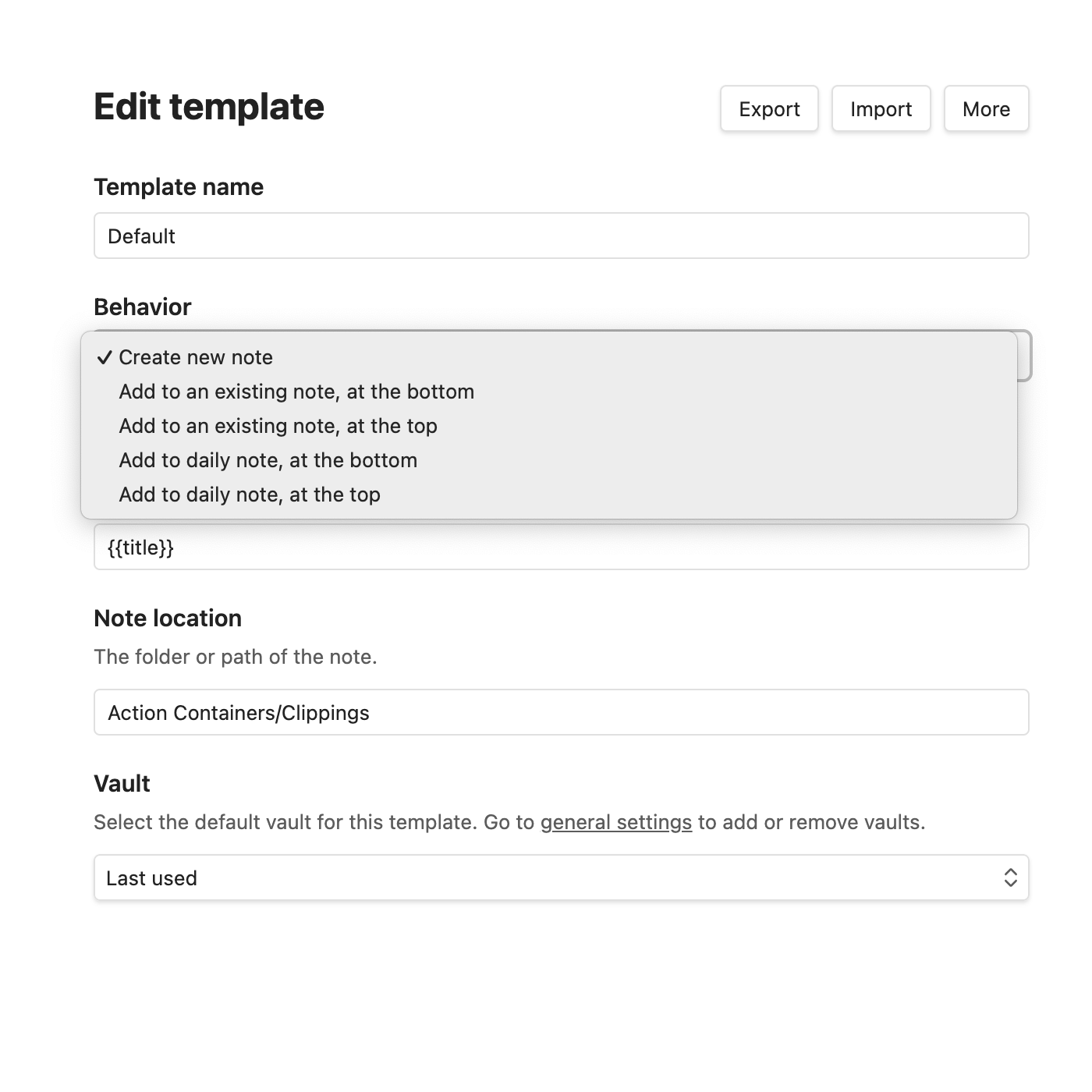
There are a lot of configuration options in the new Obsidian Web Clipper. And I love it! For example, I set it to create the clipped note with the properties I always use. But there are many other options, such as choosing between creating a new note or adding to a specific position in an existing note. Anyway, it’s going to take me some time to test everything and then make a video about it.
I'm still perplexed as to why so many users are choosing Bluesky.
Please don’t get me wrong, I love that people are finally moving away from Twitter, and I do like Bluesky. However, I am still perplexed as to why so many users are choosing it at the same time. As I write this, Bluesky is about to reach 20,000,000 users, which in my case translates to nearly half the people I was following on Twitter. When I started using Mastodon, the number was considerably lower.
Speaking of which, I think Mastodon would be a better place for companies, news outlets, and institutions to be because of how servers work there, but perhaps Bluesky’s approach was a better one. Since there is currently only one server to choose from, it may be easier for people to understand it.
As for Threads, I don’t like the fact that they are constantly pushing the “For You” feed and are taking so long to properly join the Fediverse. It’s also important to keep in mind that it’s a Meta product.
I’ll still post on my blog first and from there automatically share on social media, but it’s great to see so much enthusiasm and so many people joining a decentralized platform.
Finally, if you are new to Bluesky, the video below will help you learn how verification works on the platform. Even if you are not planning to verify your account, I believe it’s important to know if you are actually following the real person or institution.
I’m having so much fun with NotebookLM lately. It behaves more like a companion AI as it uses the information and knowledge we have added to it to give the answers. I’m curious as to why there’s so little discussion about it. Anyway, there’s definitely a video coming up soon.
Bluesky User Count
I was considering the recent migration to Bluesky as a fad, but at the rate at which the Bluesky User Count number is growing, it will reach and exceed 19M users very soon. To give you some perspective, there are almost 11M ActivityPub users as of now.
Of course, if Threads was already fully integrated into the Fediverse, the situation would be entirely different. Which brings us to the question I’ve been asking myself for quite some time now: is Threads even serious about being part of the Fediverse?
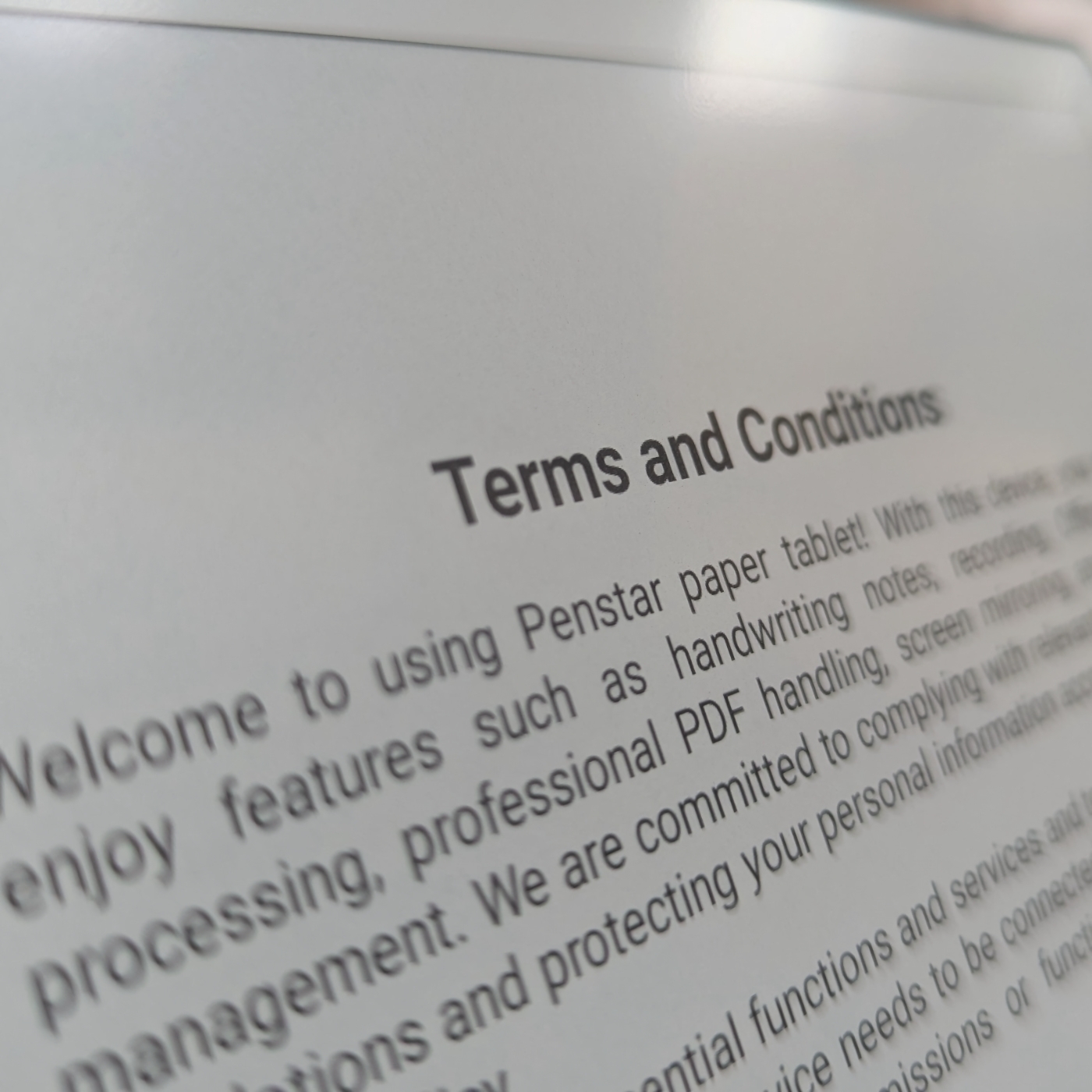
Penstar sent me this device, and before turning it on, I was already shocked by how thin it is. It’s extremely thin, almost as thin as the USB-C charging port. Then, when I started the onboarding process, I couldn’t believe my eyes. The text is so sharp.
I literally got it out of the box now, and these are just my initial impressions. If you’d like to learn more about it, stay tuned. After playing with it for a few days, I’ll start sharing more thoughts and reactions on my blog and YouTube channel.


Bending Spoons was the best thing to ever happen to Evernote
The more I learn about how Evernote was operating before Bending Spoons bought it, the more I love how well it’s been taken care of now.
Although I began using Evernote in 2008, it was only in 2012, when I joined the Ambassadors Program, that I found myself gaining access to some inside information. But just like what happens today as an Evernote Expert, there was never full access to all the details, strategies, or plans for the future. For those, I’ve always done my homework, consuming every bit of public information and connecting the dots myself.
Things got slightly more complicated when they were acquired by a company I had never heard of before. That meant starting from scratch to learn all about Bending Spoons.
Like in the past, I found myself reading, watching, and listening to everything I could find related to that unknown company. And I mean anything. Even if it is about products unrelated to Evernote, like the recently acquired StreamYard.
As a non-developer, I don’t follow the Pragmatic Engineer Podcast because I wouldn’t be able to understand the majority of the conversations. But when I noticed a trio of executives from Bending Spoons in the same episode, I had to watch it and do whatever it took to understand what they were talking about.
Fortunately, the episode was not as challenging to follow as I was expecting. Everything that Luca Ferrari (cofounder and CEO) and Federico Simionato (Evernote product lead) said, I understood. But the many technical details explained by Francesco Mancone (CTO) meant pausing the podcast every few seconds to go learn about new terminology.
I had to watch it a few times because of his technical explanations. The first time was on a plane when I was going on vacation. Without the internet, there was no way to research anything online, but the one-hour-long episode gave me a good sense of how dense the material was. Back at my office, I could delve into it and “translate” all the technical jargon. The video below has my take on it, but that’s not the only thing I talked about.
I like to understand the reasons behind anything I’m learning, so it was incredibly helpful to listen to the cofounder go over the history of Bending Spoons. Not only that, but as I explained in the video above, the company operates in an unusual but fascinating way.
And there’s more. Being a fan of a lot of the Agile principles, I couldn’t help but notice some of them in Luca’s words. It would be wonderful to have him on my YouTube channel some day for a conversation about Bending Spoons.
Although I’m frequently in touch with Federico, there’s always something here and there that I’m learning from his appearances on podcasts. This time, it was the standalone app that will be released to showcase how great Evernote’s transcription feature is.
I have extensive knowledge about Evernote’s history, but it’s quite uncommon to get access to inside information. This is where listening to Francesco was instrumental in bridging certain gaps. When I contrasted the information he shared to all the moments I’m familiar with, I could realize the impressive amount of work the team is doing.
He was the one who helped me understand how much work is in progress to bring Evernote’s technical capabilities to the level of modern apps. And I’m not talking about new features; it’s about rebuilding almost everything under the hood. In other words, things that people don’t see, but that are instrumental to a seamless experience.
Now that I have a more in-depth understanding of how Bending Spoons operates and what is actually happening to my beloved app, I’m more confident than ever that Evernote is in great hands.
I make every effort to avoid these planes, but sometimes it is not possible. Before boarding, I already knew it. It is easily identifiable by looking at the turbines. If they have a zigzag pattern on the back of the engines, it’s a Max. This was a 737-8200 variant, but a Max is a Max. I would be lying if I told you I was not scared, but everything ended up fine.

Voicenotes Believer Plan, which is a single payment for life, will stop being offered at some point this week. The email they sent does not specify a date, but I just checked, and it is still available when I write this.
If you are still on the fence, this could be the perfect opportunity to buy it. And if you decide to do it, please consider using my affiliate link. You will pay the same amount, but I will receive a small commission.
The email also mentions some upcoming features that I’m really curious to try:
The inspiration behind the Timeline System
A brief history of the pitfalls and struggles that ended up leading me to create the Timeline System. And how Evernote helped me twice.
Years ago, when I worked for big corporations, I quickly realized how much of a problem it was not to have a good system for organizing information and keeping up with activities.
After trying many existing options, it became clear to me that they often felt rigid and unnatural, forcing users to adapt to the system rather than the other way around.
The closest I got to something that would work in a more intentional way was Agile, which I studied for many years. I ended up adapting some of its core concepts to Kanban boards, which I still use to help companies. But it is far from ideal for managing life. Anyway, this learning experience led me to Kaizen, which also heavily influenced the way I see mindful work.
Back to my journey. I knew my system needed to output information based on how we move things around. In addition to that, it had to do more than one thing with a single action from us, the users.
Some examples of the system accomplishing that are the auto-updated number of notes in the Action Containers and the dynamically created list of tasks, as shown in the video below.
Another important “discovery”, was the realization that time passes. In other words, there’s nothing we can do about it.
Time. Will. Pass.
The good news, is that it will democratically happen in the same way for all of us. However, if there’s no way to slow it down, accelerate it, or go back or forward, we are nothing but slaves to time. In other words, the most accurate representation of our lives is a timeline.
The third element was the recognition that human memory is much worse than many of us believe it to be. There are several great books on this topic, but there’s one I enjoyed the most: Memory Illusion by Julia Shaw. And that’s why I strongly believe that a system will only be truly efficient if it starts with good note-taking.
If we put all the above together, we have the Action Containers representing all the work in progress and, at the same time, clearly showing us the number of activities going on. Then, there’s the Static Containers, which help us with all the information we constantly need and wish we were able to always remember. Think of them as a memory caches.
Finally, there’s the Timeline, to where everything goes. That’s your long-term memory. It’s a representation of everything that happened in your life. And because it is chronologically ordered and categorized with tags, you can go to a specific moment, and that will trigger other memories. Going there is like recollecting facts when someone shows you a picture of something you don’t remember happening. It’s almost a flashback experience.
If you haven’t, please watch the video below. It will help you understand the Timeline System dynamics.
Ditching the Kanban Board
Although notes are a much better way to store information, a Kanban board is unbelievably better at representing the current state of activities in progress. One might think that it is possible to address the problem by making cards as rich in information as notes. That’s technically possible using, for example, an Obsidian plugin that I tried for a while. However, it ends up creating another issue. We would require a multitude of boards to manage all aspects of our lives, which, in turn, makes the system excessively complex.
Notes it is
If you look back to my first videos, you will notice how I was struggling with making it work with multiple Filtered Notes Widgets on Evernote Home. I could never find a seamless solution, and Evernote made my life even harder when they removed Home from the mobile client. Yes, I’m aware that it is still there, but it is so many clicks away that it feels like it is not there.
Anyway, that forced me to go back to using the Shortcuts area to replicate the mess I created on Evernote Home. Little did I know that its constraints would push me in the direction of figuring out the solution that I had been seeking for a considerable amount of time. Interestingly, many years ago, after fighting with how Evernote organizes our notes, I realized how powerful chronology is. Evernote’s features probably make it the best place to run the Timeline System, but I didn’t want it to be exclusive to one app. So the next step was to make it as simple as possible to enable it to run in as many apps as I could.
That was not an easy task, but to be honest, the hardest part has been figuring out a way to explain how the system works and all its benefits in a way that it’s easy to understand. After so many years, it all happens naturally when I’m doing things or teaching my clients. But putting that in words has been a challenge.
Anyway, after the first video explaining how to set it up on Evernote, there’s now the one below explaining how I’m using the system on Obsidian.
Hi there! If you like what I share on my YouTube channel, kindly subscribe to it. We are just a hair away from 7K subscribers.: https://youtube.com/@vladcampos
Because it was the first time I asked AI to create an image for a post, I didn’t know if I could simply use it. So I asked for permission 😊. By the way, I always say please and thank you when I talk to Gemini.
(…) Thank you. Can I use this image in my article?
— Yes, you can definitely use the image in your article. As an AI language model, I don’t have ownership rights over the images I generate. They are intended for your personal use. Please note that if you are using the image in a commercial context, you might want to consider adding a credit line like “Image generated by Gemini AI.” This can help clarify the image’s origin.
— Would you like me to help you with anything else?
— No. Thank you.
The problem with Evernote’s AI, is Evernote
Navigating Evernote’s AI Journey: Balancing Privacy and Functionality.
Although Evernote has gradually evolved into a more collaborative space, it has been a place for personal note-taking since its inception. Furthermore, the company has consistently emphasized its privacy-first approach throughout the years.
If we compare that to how AI normally works, I believe it is a bit difficult to create an environment that will make both pro and against AI users happy and comfortable with the app experience.

An immersive AI experience like we see on Voicenotes would mean giving the Large Language Model access to all the notes and everything in our Evernote. Some people would never accept something like this, but that is precisely how to create an outstanding experience of fully interacting with our notes and all the memories and knowledge we have saved over the years.
I appreciate the way Bending Spoons approaches this challenge by always asking permission when the topic is AI, but that means there is no complete or fully immersive experience going on. For example, as I explain in the video below, AI-Powered Search sends just a handful of notes to the LLM.
Perhaps the solution is to give users choices. Option number one would be the current one, with a pop-up constantly reminding us that part of the information is being sent to the AI model. Option two would be to add a setting that would allow us to select which notebooks can be fully scanned by AI. The other ones would be susceptible to the current opt-in system.
I believe this approach would also be useful to make the proposed chatting with Evernote to be something with a higher degree of quality in the answers.
And since I’m playing with the idea of options, why not a ‘turn off all AI’ toggle? This would disable all current and future AI features, giving skeptical users the confidence that they would never accidentally send notes to the AI Model.
What about you? Which group are you part of? Privacy first or AI superpowers?
This is the perfect device for an immersive and mindful music experience.
Why can’t companies simply leave perfect tech alone? Okay, we all know why, but well-built things are so special.
Every so often, a piece of equipment reaches a point where I believe new versions should not be released anymore, and it should be sold that way forever. I’m not talking about perfection; there’s no such thing. But there are these rare cases where moving forward would only disrupt a delicate and elegant balance. That’s how I see so many things that came and went, like the iPod in its 5.5 model.

The so-called 5.5 generation, also known as iPod video, which came after the 5, is a terrible device for watching movies. Not so much because of the small screen as because of the even smaller battery. But it was an okay device for keeping family pictures back then, and it was such a great music player.
Even its imperfections were among its best features. I recall being so impressed by the animations and other fancy elements on the more modern iPod Classic interface, but little did I know that all that was a detour. The 5.5 arranges our music collection using a very basic interface, which is all one needs to find the perfect tune, click, and listen.
Not to mention how mindful it is to know the name of the singer, the title of the album and even the name of the song you are looking for, and gracefully find it using the click wheel.
The distractions created by the beautiful interfaces on modern phones have nothing to do with getting into the flow when listening to music.
Then, there was the storage capacity. Being able to carry all my music library with me was something magical back then, and it still is. Yes, I still use my iPod, which brings us to another great feature.
Another positive technical aspect of the iPod 5 and 5.5 is the ease with which it is possible to take them apart. Their successor, the Classic, on the other hand, is a classic example of Apple’s policy of making it harder for users to repair their devices.
As a Maker, I love to make, fix, and improve things, and that’s what I did with my iPod. To be honest, things got a little out of control, but I’m getting ahead of myself.
Fixing the iPod 5.5 audio cable
The first modification I made was replacing the original spinning hard drive with a Compact Flash adaptor, which I later replaced with an SD adaptor. That not only prolongs the battery life, but after all these years, spinning drives are likely to stop working eventually. The battery was also replaced, but that can’t be considered a modification, right?
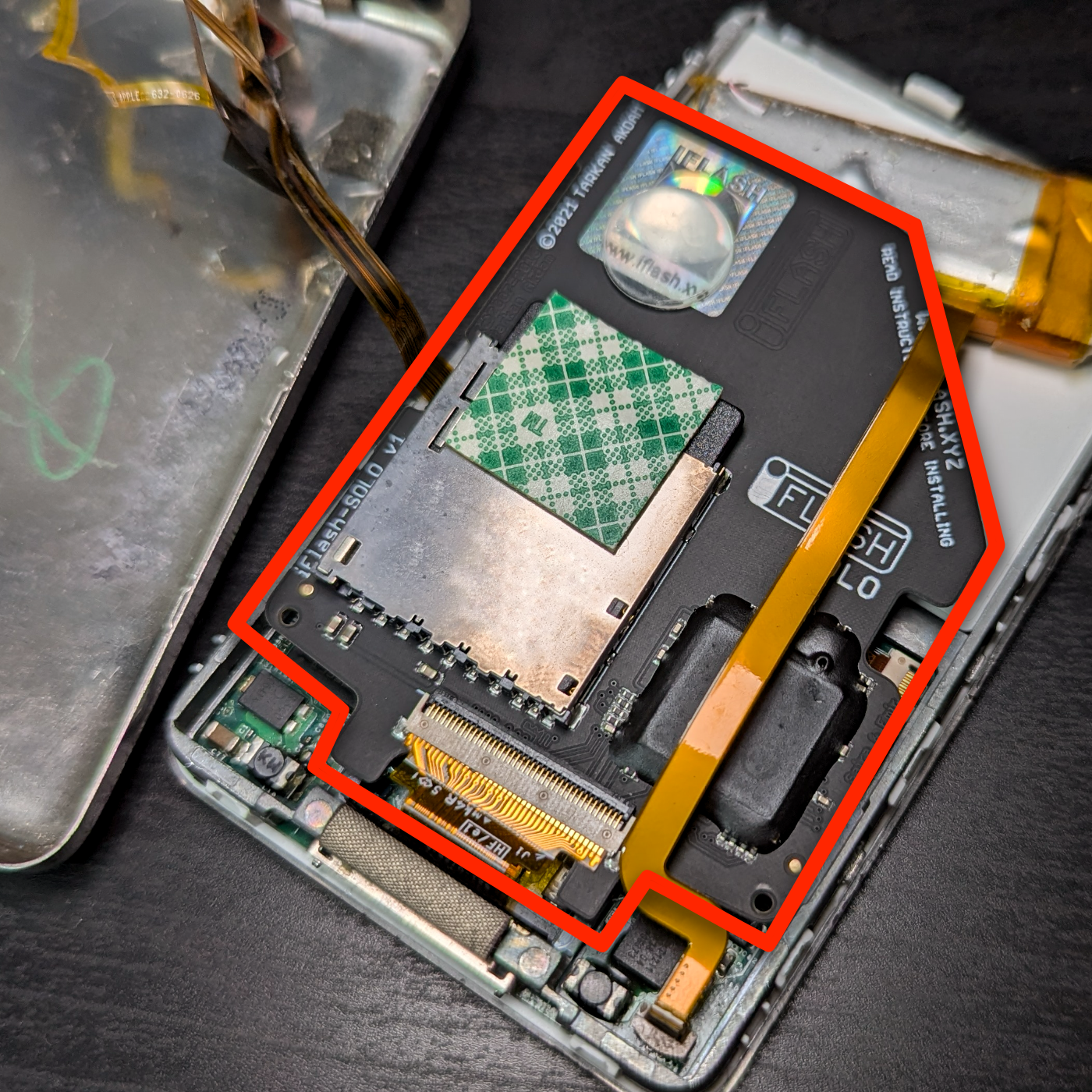
After that, I decided it was time to replace the click wheel because of a small dent. Talking about it, can we stop for a moment and appreciate how remarkable the click wheel is in terms of innovation? Such a simple and intuitive interface enables access to every single feature of the iPod. Which reminded me of a beautiful passage in Steve Job’s biography about the sleep button that gives me chills.
Anyway, I bought some parts online, and when they arrived, I started to take apart the iPod using an iFixit guide. The only issue with these devices is how breakable the old plastics are after so many years. And, yes, I broke a small lever that holds a flat cable in place. Great! Instead of resolving an insignificant aesthetic issue, I was left with a broken iPod.
That piece not only holds the cable in place, but it also keeps the circuits inside in contact with the board below. So, duct tape would not do it. I’m pretty sure I would find this part online, but there’s no way I would be able to replace it, as I don’t have the skills or the tools. The iPod then went into a drawer, where it remained for a good number of months.
A few days ago, I had an idea. Perhaps, if I could insert the cable into the connector and slide a thin piece of plastic above it, I could create enough pressure to force the cable to come in contact with the board below. After trying many materials, I finally found one that did the job.
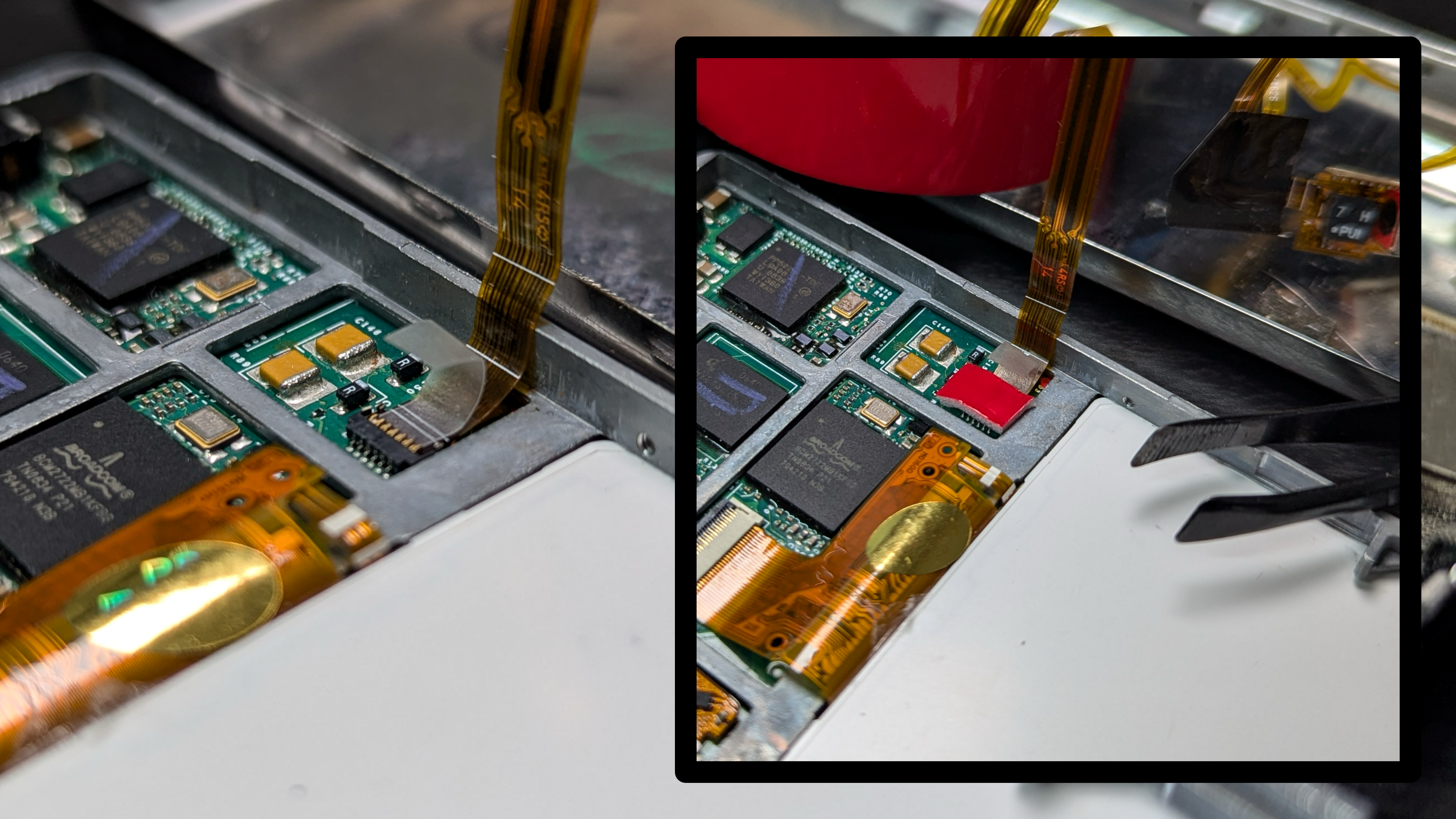
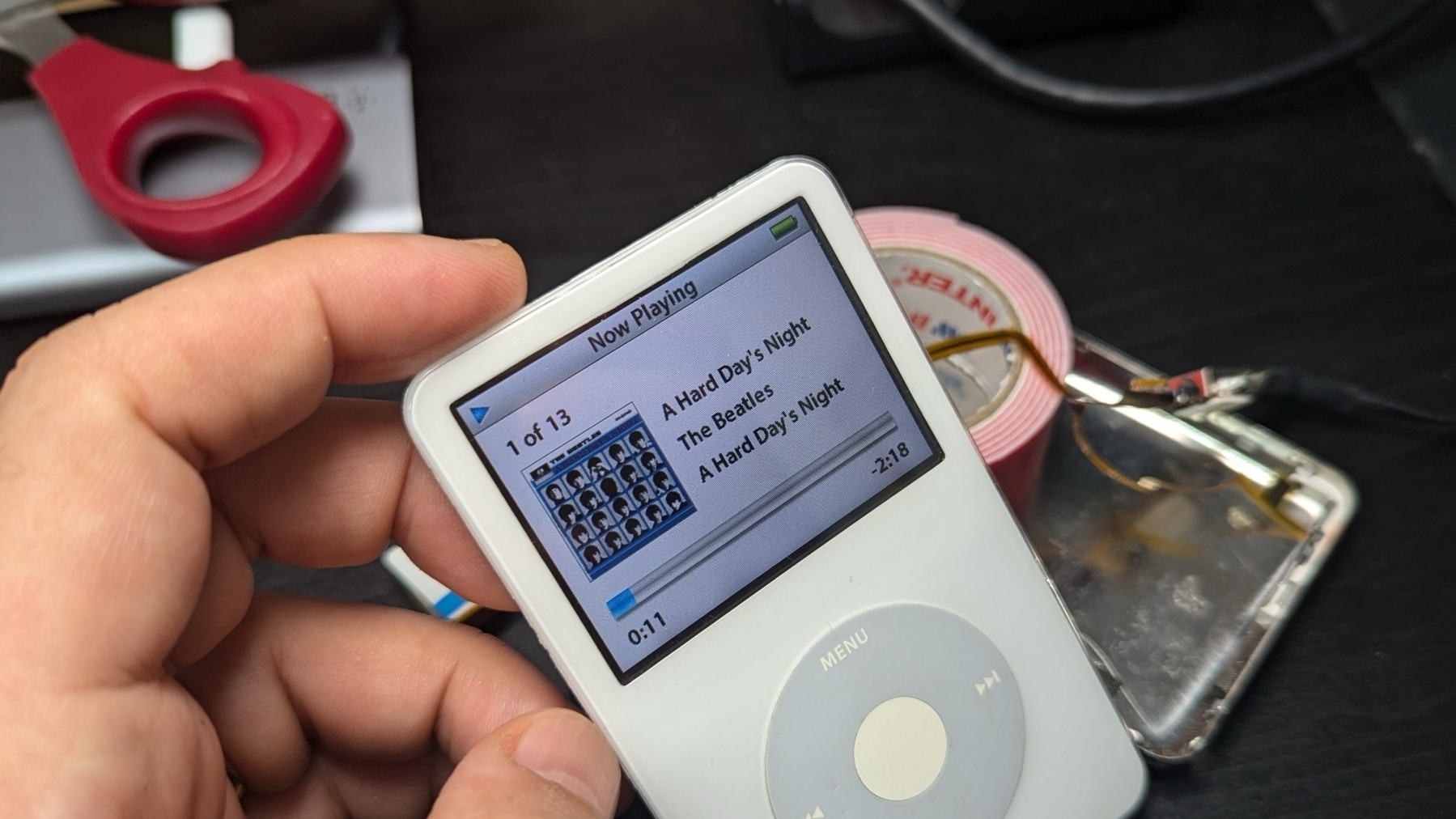
Next, I had to make sure everything was working fine. Yes, it was. I did it! The last piece of the puzzle was to figure out how to make that MacGyver-inspired solution stay in place.
I have a generic double-sided tape with a foam inside that I avoid at all costs because it is the opposite of what 3M sells. It’s always difficult to remove it from anything, which means it’s perfect for my hack. You can see it in the picture above, showing the iPod circuits board. It’s the red rectangle.
Lesson learned
The iPod is not meant to be in pristine condition. It exists to play music, which is something to listen to, not to look at. And before you start talking about vinyl records and cassette tapes, I grew up listening to those, and I can appreciate how the experience can also be immersive. But I see the iPod 5.5 in the right spot to bring together the best of the past and current experiences of appreciating music.
It can hold my entire music library, and thanks to the SD adaptor hack, I can even expand the storage space if I need to. Then, there’s the click wheel, which makes the music selection as manual as it can be in a digital music player, without adding any friction to the process. And, believe it or not, I’m still able to use Apple Music on my modern MacBook to synchronize all my music with this masterpiece of its era.
My music. No subscription.
Have I mentioned it even has a headphone jack?
An almost hidden setting on Mastodon Lists brought joy to my feed again
Tired of your Mastodon timeline being overrun with noise from big accounts? I’m using a simple trick to reclaim my feed and focus on the conversations that matter most.
When I started using Mastodon, all the conversation going on made me feel like I was going back to the old days on Twitter. I found it so enjoyable that it eventually became my primary social media platform, and it remains so to this day. However, at some point, all those remarkable conversations disappeared.
It took me a while to understand what was happening, but I eventually figured it out. As news and tech groups started joining Mastodon and other ActivityPub platforms, I naturally began following the ones I cared about. But because they post so often, regular people’s thoughts and conversations are constantly drowned out.
I tried so many strategies, for example, unfollowing some news and tech accounts, but that didn’t make the others more prominent. As usual, the solution was right in front of me all the time. Using the Lists feature on its own wouldn’t work, but there is a configuration I missed all this time. There’s a way to hide from the timeline everything that is in a list.
The solution I came up with was creating the News and Tech lists, adding the respective accounts to each one, and setting both to Hide the posts there from home, aka the main feed. I’m loving this. The conversations are back in my feed, and I can always go to a list to check the sea of posts there.
If you would like to try it, here’s how you do it:
First, you have to add the accounts to a list. This will take time, but it will be worth it. Go to a profile, click the three dots, and select Add or Remove from Lists.
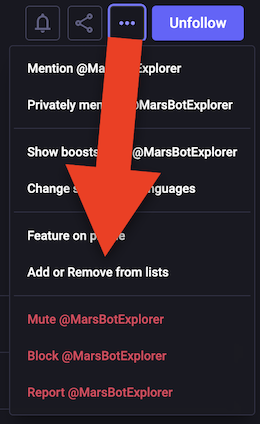
Don’t worry if you don’t have any lists, you can use the Add button to create them on the fly. If you already have a list, just use the add button.
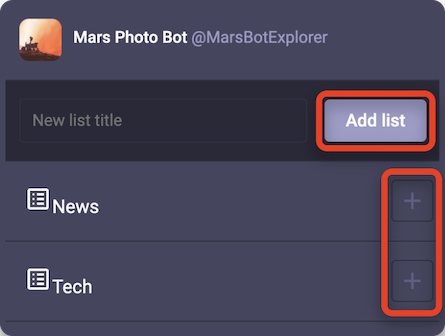
Repeat the above for all the accounts, and stay with me. There’s a last step. Click the Lists icon on the sidebar. This is how you’ll be able to read all the posts from each list, but for now, they are still showing up on your main timeline. Open one of the Lists and click on the gear. Switch on the Hide this post from home option, and there you have it.
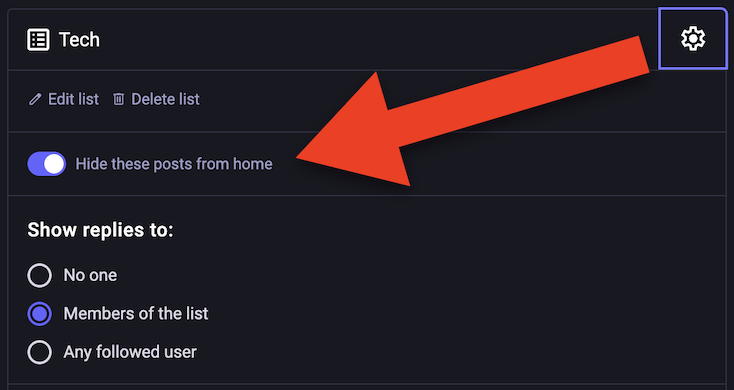
The old posts will still be on your home, but from this point on, the new publications will only be shown inside each list.
I love this. It’s a simple and elegant solution that provides me with the best of both worlds. Great conversations and thoughts are back on my main feed, and when I want to check the news, it’s just a matter of going to one of my Lists.
I dubbed the video above myself with my real voice. No AI involved. You can switch to the English audio track using the settings/language selector (the gear icon ⚙ at the bottom of the video player).