Timeline System update: small tweaks, different analogies, but the same essence.
2026-05-25 09:41
The Timeline System is a living system. As I used it and explained it to others, I realized that small nomenclature adjustments and new ways of visualizing the flow would make it a bit more intuitive. In this article, I’ll talk about how I’m currently using Obsidian Bases to cross-reference information, why I’ve simplified folder names, and which physical analogies may better represent the system's digital structure.
Information Containers
In the Timeline System, Information Containers represent spaces where we keep everything related to a specific topic. For example, when I started experimenting with the Raspberry Pi, I created a new folder in Obsidian for what I was studying and learning:
Static/Knowledge Base/Raspberry Pi
However, I’ve also been adding information to two other pre-existing folders:
Static/Knowledge Base/LinuxStatic/Knowledge Base/Syncthing
The Pi runs on the Linux operating system, and one of the first things I wanted to install on it was Syncthing. I knew there was already content on both topics in my Obsidian; and since they are knowledge-related, it was easy to find them in the `Static` folder to keep adding new information and insights.

Nothing new so far. This is exactly how I idealized and started using the Timeline System in my Obsidian. However, as I’ve mentioned several times, keeping content only in folders makes cross-referencing information much harder.
Bases
Bases was the solution I found to create relationships and find content easily within my vault. Let’s go back to the Raspberry Pi example. I created a table called Pi Project.base and set it up as follows:
Rule for all views:
file path | contains | Static
The goal is to limit all views to content inside the Static folder. After all, there is other content in my vault that contains tags related to the topic but isn't part of this learning process. The note for this post, for instance, has tags like Raspberry-Pi and Linux that would make it show up in a table without the rule above.
The table contains many views: Linux, Syncthing, etc. In the one I called Linux, the filter has only one rule:
file tags | contains | Linux
Since the main rule already limits the filter to the Static folder, I just needed to specify which tag I want for each of the other views.
Shelves
Since Containers move between the three system folders — Action, Static, and Timeline — an analogy that immediately occurred to me was that of a cargo ship carrying containers. However, the more I explained the system to students and on my YouTube channel, the more I realized there are better analogies.
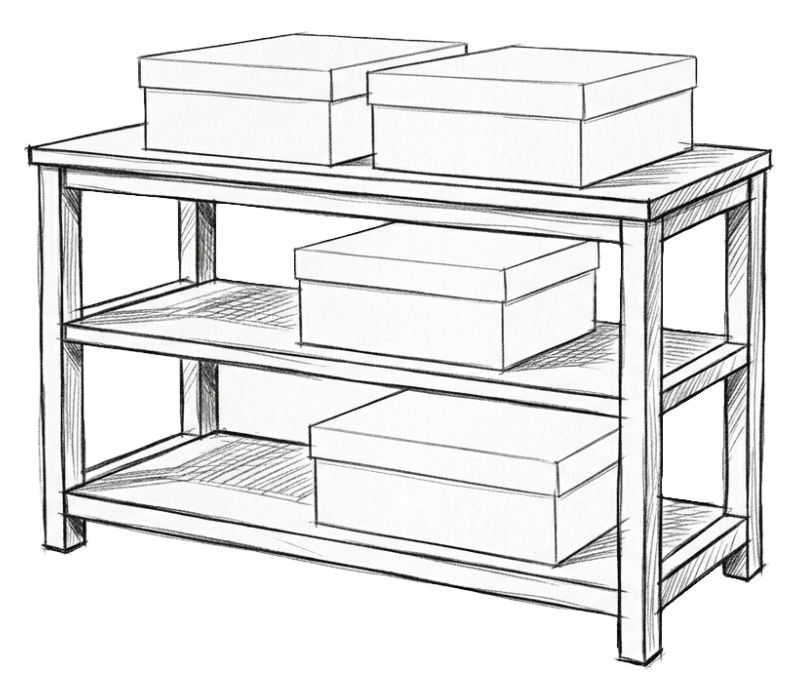
The one I'm more inclined to use from now on is a bookshelf with three shelves. At the top, clearly visible, is where we keep everything we are currently working on; that’s where the boxes — subfolders or Bases tables — from the `Action` folder are kept while in progress.
In the middle, we have what supports our work and what we need to use with some frequency: Static. And finally, at the bottom, where access is a bit more complicated, is the Timeline.
The boxes represent the Containers that can be moved from one shelf to another. This is an analogy that occurred to me some time ago, which I finally used in a recent video.
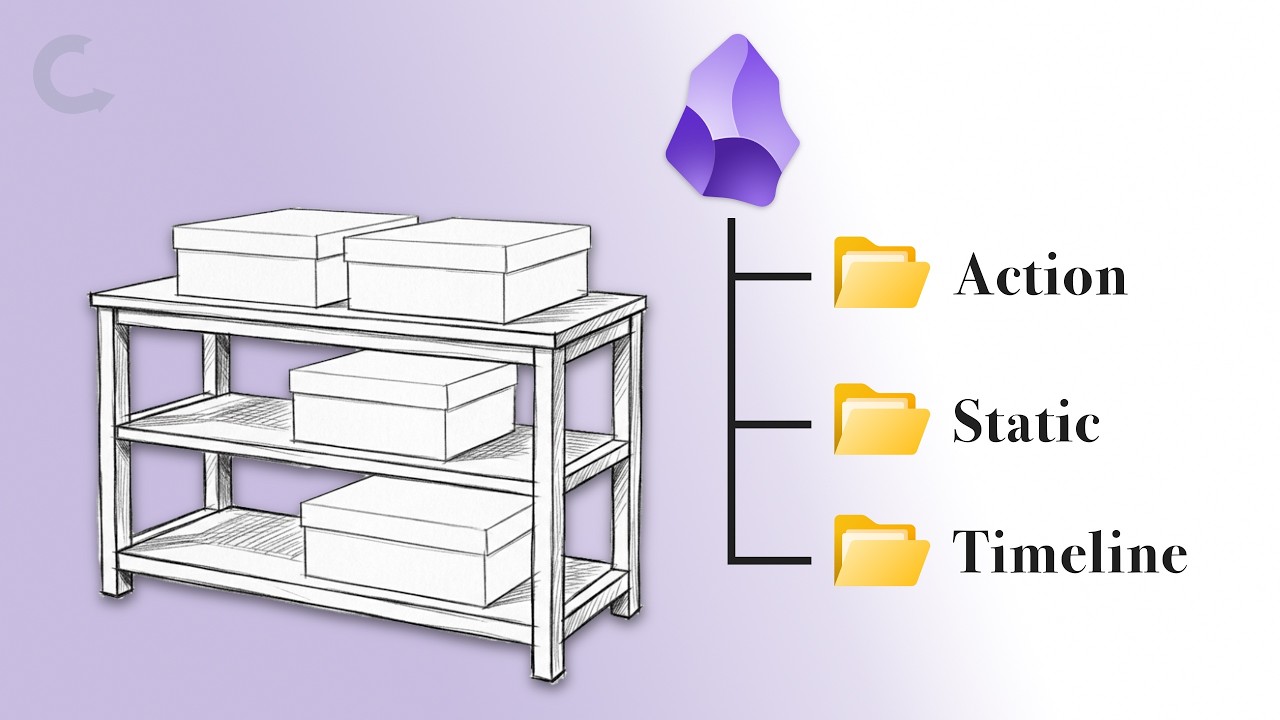
There is, however, another possibility that occurred to me recently while producing that same video.
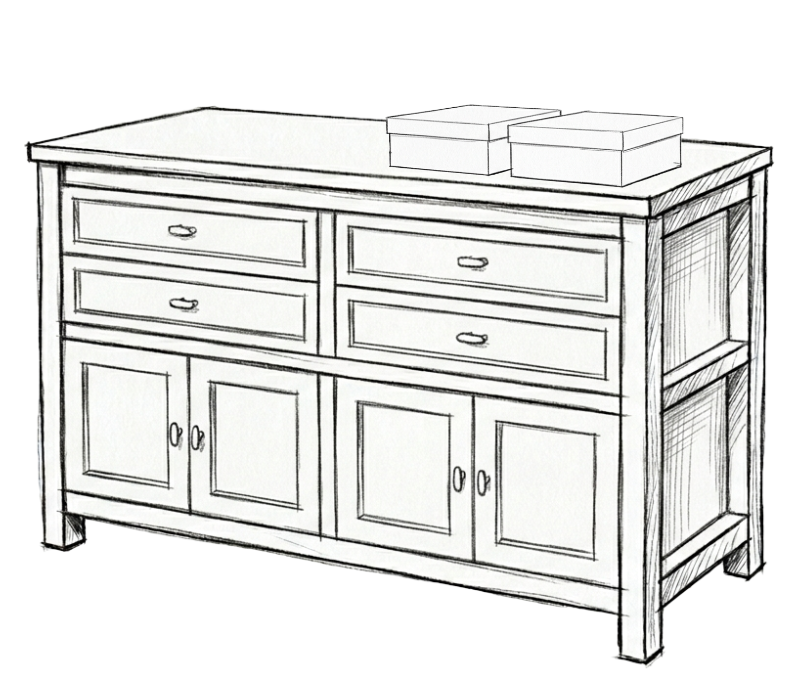
Could our office desk or a dresser be a better representation? The Action folder is always expanded — visible — in my Obsidian, while Static and Timeline remain closed.
When I keep the Action folder always expanded and also recommend this to my clients, I’m thinking of the things sitting on top of my desk, representing work in progress.
In terms of my everyday use, Static is the second most checked folder. I expand and close it a few times a day, just as I do with the drawer under my desk. Much like in the Timeline System, my desk drawer stores items that help me with my work but aren't things I'm working on at that exact moment.
On a dresser, doors are a good way to represent the Timeline because it’s something we use much less frequently. The slightly more difficult access of boxes stacked inside a cabinet doesn't represent a big challenge, as we'll rarely need to access them.
Under my office desk, there's a set of drawers, which could also be a good analogy, as accessing it is more laborious compared to the desktop or the drawer right below it.
Nomenclature
In the past, I used Action Containers and Static Containers. But I started seeing clients and friends simplifying things, dropping the word Containers, and that made a lot of sense to me. So, I also dropped them.
It’s a System
All these changes do not touch the original conception: Containers to group content and their movement between Action, Static, and Timeline. By the way, it is a system and not a methodology precisely because it is systemic — a set of elements that interact with each other. In other words, the three main spaces are directly related, and information flows from one to another and can even return to a previous position.